 Counter App
 for Contractors and Job Sites
Count materials, tools and deliveries on site with an Android phone. Tags with targets, QR codes, photos and notes, plus CSV, Excel and HTML exports.

Intro
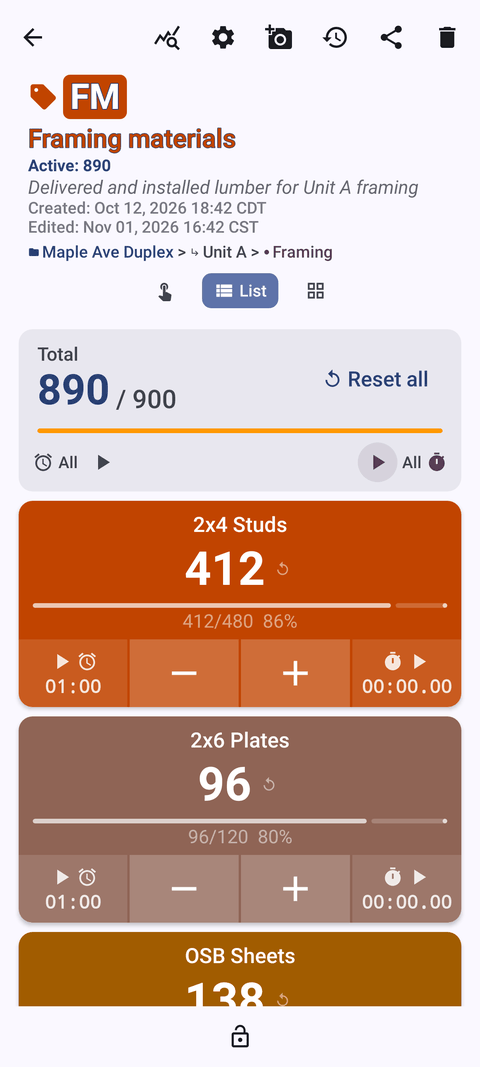
Job sites run on quantities: how many studs arrived, how many anchors are left, whether all six sleeves are in the forms. Counter App — Tally & Clicker, by GiveMeMood, turns an Android phone into a structured counting tool for contractors. Each counter holds tags with their own counts, targets, codes, locations and photos, every tap is logged with a time, and the result exports to CSV, Excel or an HTML report with embedded photos. It works offline, runs on Android 12 and newer, and is free to download with no ads; try it free for 3 days, then choose a yearly or monthly plan or a one-time lifetime purchase.
Use cases
Material counts by area
One counter per laydown area or floor, one tag per material. Steps from 1 to 100 let a single tap record a bundle or a pallet layer. See counting construction materials on Android.
Delivery verification
Set each tag's target to the quantity on the delivery ticket. The app can alert with sound or vibration on reaching it; anything short is your shortage list, with photos for the supplier.
Job site inventory
Categories for sites and phases, counters for trailers and gang boxes, a weekly count that takes minutes. See job site inventory for contractors.
Tool tracking
A counter per van, a tag per tool type or per high-value tool, with asset codes scanned into tags. See tool inventory tracking for contractors.
Pre-pour checklists
Tags with targets work as checklist items, with photos and notes on exceptions and a locked, exportable record. See the pre-pour checklist workflow.
Estimates and change orders
Field counts exported to CSV or Excel drop straight into a pricing sheet. See exporting material counts for estimates.
Features that matter on site
- Counters and tags. Unlimited counters, each with tags that keep their own value, step, target, color, barcode/QR value and location — a natural fit for area-by-material counting.
- Barcode and QR. Scan a label with the camera or type the code, so racks, bins and assets match their digital tags.
- Targets with alerts. Count up or down to a goal, with optional sound or vibration, auto-reset and auto-lock.
- Volume-button counting. Count with the volume keys, also with the screen locked, which helps with gloves on. Off by default; keys can be remapped.
- Photos and notes. Up to six photos per tag with a markup editor, and notes on count events for exceptions.
- Location. GPS, map pin or typed address for multi-site work.
- History and dashboard. Every count logged with a time; dashboard with per-tag progress and charts.
- Exports and backup. CSV, Excel (XLSX) and HTML with embedded photos; ZIP backup with photos and import with duplicate handling.
- Works offline. All counting works without signal — useful in basements and new structures.
- Lock and trash. Lock counters against accidental taps; restore deleted counters from the trash.
Guides for construction & contractors
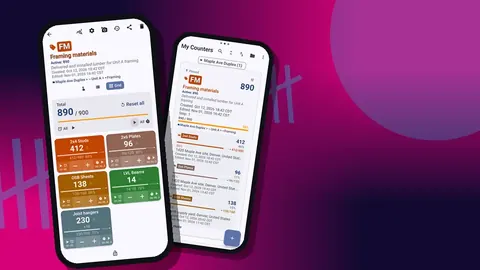
Tool Inventory Tracking for Contractors
Stop losing drills, lasers and batteries between jobs: a check-out and end-of-day tool count routine for contractors using an Android phone.
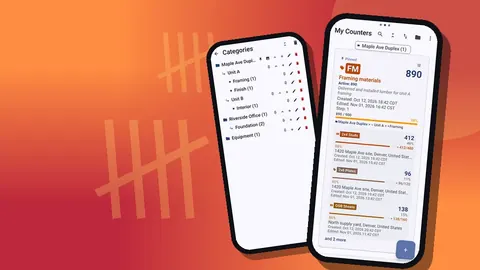
Job Site Inventory for Contractors: A Phone Workflow
Run job site inventory from an Android phone: what to track, how to split it by site and phase, weekly routines, transfers and clean reports to the office.
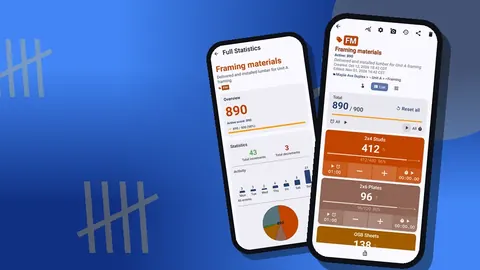
Pre-Pour Concrete Checklist on Your Phone
Run a pre-pour concrete inspection on Android: rebar and embed counts, form checks, photos and notes per item, then export a record of what was checked.
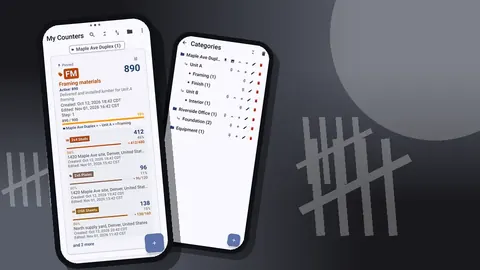
Site Manager Material Tracking: A Worked Scenario
A hypothetical site manager's week shows how to track deliveries, usage and leftovers across phases with an Android counter app, and what to change next time.
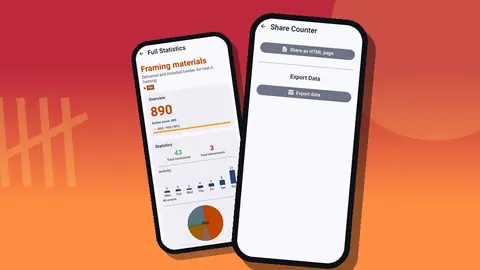
Export Material Counts for Construction Estimates
Turn on-site material counts into estimate-ready spreadsheets: what to count, how to structure it, and how CSV, Excel and HTML exports feed your pricing.
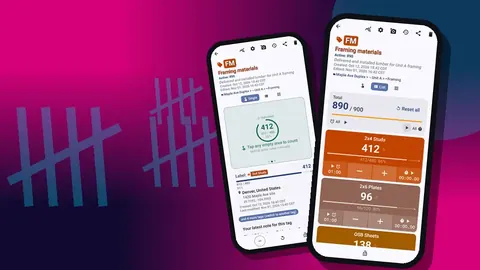
Count Building Materials with QR Codes and Barcodes
Label racks, bins and bundles with QR codes, link each label to a counting tag on Android, and count building materials with fewer mix-ups on site.
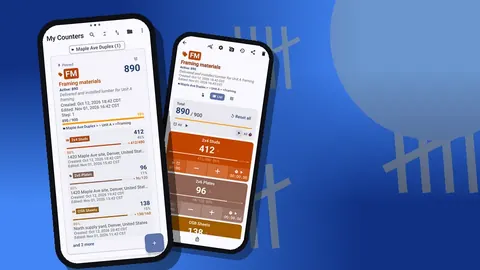
Counting Construction Materials on Android
Count lumber, rebar, block and fittings on site with an Android phone: one counter per area, one tag per material, bundle steps and clean exports.