Counter App

Tool Inventory Tracking for Contractors
Key takeaways
Contractors can track tool inventory on Android with Counter App — Tally & Clicker by giving each van, trailer or shop a counter, counting interchangeable tools by type and expensive ones individually with serial numbers, running a two-minute Grid-view count before leaving site, and logging check-outs as a minus with a note.
- Contractor tool inventory works best when interchangeable items are counted by type and expensive or unique tools get their own tag with a serial number.
- A two-minute end-of-day tool count in Counter App — Tally & Clicker Grid view shows any tile below 100% of its target before the van leaves site.
- A tool crib counter that counts down from the full kit, with a note on each minus, shows which tools are checked out and to whom.
- Batteries and chargers should be counted as separate tags per voltage, because a drill can return to the van while its battery stays on site.
- Counter App — Tally & Clicker is free to download with no ads; try it free for 3 days, then choose a yearly or monthly plan or a one-time lifetime purchase, and works offline for all counting on Android 12 or later.
Tools don't usually vanish in one dramatic theft. They get left behind: a laser level on a windowsill, a charger still plugged in at the last job, a box of bits in someone else's van. By the time anyone notices, nobody remembers where it was last used. A regular tool count doesn't stop things being left behind, but it shrinks the gap between "left behind" and "noticed" from weeks to hours, and hours is often soon enough to drive back and get it.
This guide covers a simple tool tracking routine for small contractors using Counter App on Android: how to structure the crib, how to count at the end of the day, how to handle check-outs between crews, and how to keep condition records that hold up later.
Should contractors track tools by type or individually?
There are two common approaches, and mixing them is fine.
Count by type for interchangeable items: "18V batteries", "Impact drivers", "Extension cords". It is fast and good enough for most small kit. If the van should carry twelve batteries, a tag with a target of twelve tells you at a glance whether they are all back.
Track individually for expensive or unique items: the rotary laser, the core drill, the plate compactor. Give each one its own tag with its serial or asset code.
A rule of thumb: if you would file an insurance claim for it, track it individually. Everything else can be counted by type.
Organizing tools on your phone
Organize by where tools live, because that is where you will be standing when you count them.
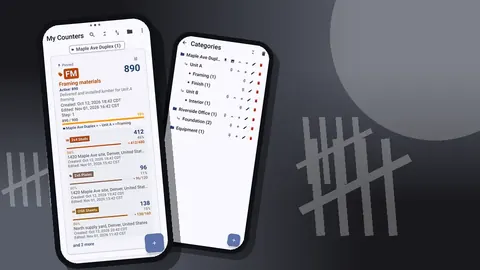
- Categories for the places: "Van 1", "Van 2", "Trailer", "Shop". Categories nest up to three levels, so a larger outfit might use Base, then Vehicle, then Bin.
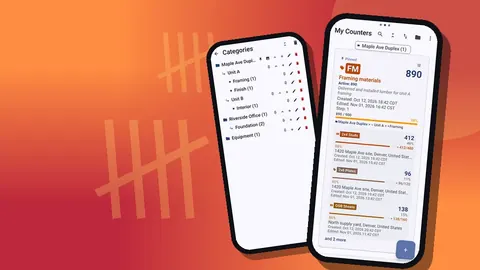
- Counters for a vehicle, a crib or a toolbox, for example a "Tool crib" counter for the shop.
- Tags for tool types or individual tools: cordless drills, circular saws, laser levels, ladders, extension cords.
Give each tag a color. In Grid view, colored tiles make it quicker to find the right tool type, and colors can carry meaning, such as red for powered tools and blue for access equipment. Pin the counters for the vehicles in daily use so they stay at the top of the list.
Serials and asset codes
For individually tracked tools, the tag's barcode field is the natural place for the serial number or an asset code. Scan a QR or barcode sticker with the camera, or type the code in if there is no sticker or it is worn.
Asset stickers make the end-of-day count more reliable: whoever counts can confirm they are looking at the right laser, not one that looks the same from another crew. The tag can also carry notes such as purchase date or service interval, and a link, for example to the manual.
How do you count tools at the end of the day?
The habit that saves the most money is a two-minute count before the van leaves site.
- Open the vehicle's counter and switch to Grid view.
- Reset the counter, or the tags you count each day, so you start from zero.
- Walk the van and the work area, and tap plus for each tool you find.
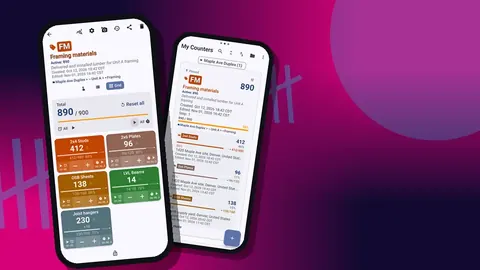
- Look at the tiles. Each shows its value against its target as a percentage. Anything short of 100% is either still on site, in someone else's van, or lost.
- Look before you leave. That is the whole point.
- Lock the counter so nothing changes on the drive home.
If a tool is missing, add a note on the count event saying where it was last used. You will want that note tomorrow.
For crews who count with gloves on, volume-button counting lets the hardware keys add and subtract, also on the lock screen. It is off by default and the keys can be remapped.
How do you track tools checked out between crews?
When tools move between crews or sites, the record needs to move with them. A simple pattern:
- Keep the crib counter counting down from the full kit. Each tag's target is the number you own.
- When a tool goes out, tap minus on the crib tag and add a note: who took it and where.
- When it comes back, tap plus with a note.
The list view then shows exactly what is out at any moment: any tag below its full count. The history shows who took it and when, as long as the notes were added.
Since data stays on each phone and there is no live sync, keep the crib on one phone, normally the person who runs the shop or the lead's phone. If a crew lead needs a copy, send a ZIP backup of that counter; the import shows a preview and lets them replace, copy or skip duplicates.
Condition and damage
Disputes about damage are easier with pictures. Each tag holds up to six photos. Take one when a tool is new or freshly serviced, and another when it comes back looking worse.
The photo editor can rotate a picture and add text and brush marks in six colors, so you can circle a cracked housing or write the date on the photo. The all-photos gallery shows every picture in the counter in one grid, labelled with the tag and the date, which makes it easy to compare a tool's condition over time.
For a formal record, the HTML report embeds the photos alongside the counts and notes.
Batteries, chargers and small kit
Batteries deserve their own attention because they are small, valuable, interchangeable and constantly on the move between tools. A few practices help:
- Count batteries as a separate tag per voltage, not as part of the tool. A drill can be in the van while its battery is still on site.
- Count chargers too. A missing charger strands a whole set of batteries.
- Set the target to the number you own, and treat any shortfall at the end of the day as a reason to look around the site before leaving.
- Mark them. Paint or tape in the crew's color makes your batteries easy to tell apart from a sub's identical ones, which reduces the honest mix-ups that look like losses.
The same thinking applies to blades, bits and drivers. Count boxes rather than individual items unless something is expensive, and add a note when an opened box goes to another crew.
Periodic audits
Daily counts catch losses; periodic audits catch drift. Once a month or once a quarter:
- Count every location, including the shop and storage you rarely open.
- Compare each tag with the number you think you own.
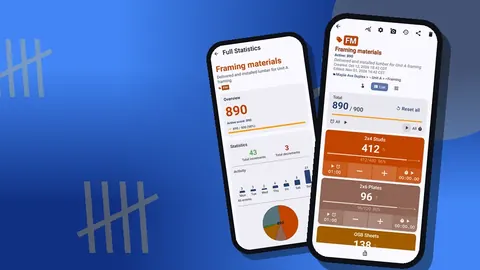
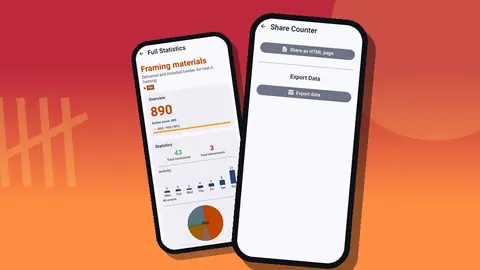
- Open the dashboard for each counter: total against target, increments against decrements, a seven-day activity bar chart and a pie chart by tag. Tool types with a lot of activity are the ones most likely to wander.
- Update targets when you buy or retire tools, so the tiles stay meaningful.
- Export a Summary to CSV or Excel (XLSX) for your records or your insurer.
Ladders, access equipment and large items
Large items behave differently from hand tools. Ladders, trestles and scaffold towers rarely get forgotten in a corner, but they do get borrowed by other trades and left on the wrong floor. Track them individually if they carry asset numbers, and add a location to the tag when one is out on a job: a GPS point, a pin on a map, or a typed place like "Level 3, stair core".
For scaffold towers or hired equipment, a note with the hire reference and return date on the tag avoids late-return charges. A photo of the item as delivered also helps when the hire company inspects it on return.
Protecting the record
A tool record is only useful if it survives:
- Lock counters after counting to prevent stray taps.
- Back up regularly. A ZIP backup can include just the tool counters or categories, with photos and optional compression.
- Use the trash. A tool counter removed by accident can be brought back from the trash.
- Keep exports. The tool record is stored on the phone, with no account and no Counter App cloud, so exports and backups are your second copy.
A hypothetical example
Picture an illustrative four-person renovation crew with two vans and a shop. The lead sets up a category for each van and a "Tool crib" counter in the shop, with tags for drills, circular saws, laser levels, ladders and extension cords, plus individual tags for the rotary laser and the core drill with their serials. Each van gets a two-minute Grid-view count before leaving site. One evening the laser level tile shows less than its target; the note from the morning says it was used in the basement, and the crew goes back for it the next morning. This is an example rather than a measured result, but it shows how small the effort is compared with the cost of one lost laser.
Related workflows
For counting the materials rather than the tools, see counting construction materials on Android. For QR labelling of racks and bins, read count building materials with QR codes.
Counter App runs on Android 12 or later and works offline for all counting. Get the app at counterapp.online.
Frequently asked questions
Can a contractor record which van or site a tool is at?
Yes. Use a counter per van, trailer or site with a tag per tool type or tool, and add a GPS point, map pin or typed address to the tag when it is out on a job.
Where does a tool's serial number go in Counter App?
In the tag's barcode or QR field, scanned from an asset sticker or typed by hand; purchase date or service notes go in the tag's notes.
Can photos prove what condition a power tool was in?
Yes. Each tag holds up to six photos, count events can carry notes, and the HTML report embeds the photos alongside the counts.
Can several crew leads check tools in and out of one crib?
Each phone keeps its own data without live sync, so most crews keep the tool crib on one phone and pass copies of counters between phones by ZIP backup.
Does tool tracking in Counter App cost a monthly fee?
Not necessarily. Counter App — Tally & Clicker is free to download with no ads; try it free for 3 days, then choose a yearly or monthly plan or a one-time lifetime purchase.
Which tools should a small contractor track individually?
A simple rule is to track individually anything you would file an insurance claim for, such as a rotary laser or core drill, and count the rest by type.
Can tool counting work with gloves on in the van?
Yes, if volume-button counting is turned on in settings; the hardware keys then add and subtract, including from the lock screen.