Counter App

Site Manager Material Tracking: A Worked Scenario
Key takeaways
A site manager can track materials on Android by nesting Counter App — Tally & Clicker categories as job, phase and area, counting deliveries against ticket targets, logging transfers as a minus and a plus with notes, and exporting a weekly Summary to Excel. The story here is a hypothetical example of that workflow.
- The site manager material tracking story is a hypothetical scenario with illustrative names, quantities and events, not a case study.
- In the scenario, a delivery counter with tag targets set to the ticket quantities caught an OSB shortfall before the truck left the site.
- Structuring Counter App — Tally & Clicker by job, phase and area works better on a building site than one long list of materials.
- Splitting counter ownership between the site manager and the lead carpenter avoids double counts, because Counter App has no live sync between phones.
- A weekly Excel export of Summary and Notes from Counter App gave the office in the example an ordering basis for the next week.
This is a hypothetical scenario, not a case study. It follows an illustrative site manager, whom we'll call Dana, through one week on a two-unit residential build. The quantities and events are made up to show a workflow. What carries over to a real site is the sequence of decisions: how she structures the counts, where it goes wrong, and what she'd change.
Dana runs a small crew: two carpenters, a labourer, and subs who come and go. Material has been tracked on a whiteboard in the site container and on delivery tickets stuffed into a folder. Last project she ran short of sheathing twice and found a pallet of unused hangers at closeout. She decides to try counting on her phone with Counter App for one phase, framing, before committing to anything bigger.
Monday: setting up by phase, not by material
Her first instinct is a single counter called "Materials" with forty tags. By mid-morning she sees the problem: one long list doesn't say where anything is, and it will be useless once the job moves to rough-in.
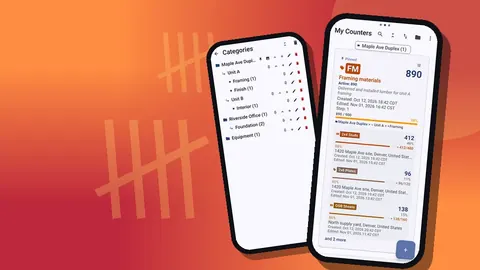
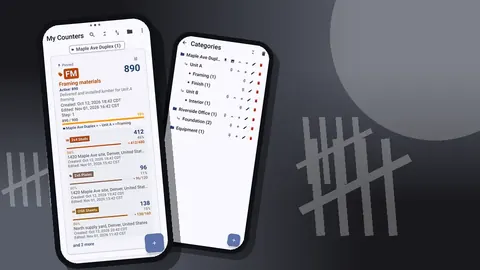
She restructures using categories, which nest up to three levels:
- Level 1: the job, "Maple Ave Duplex".
- Level 2: the phase, "Framing".
- Level 3: the area, "Container", "Unit A deck", "Unit B deck".
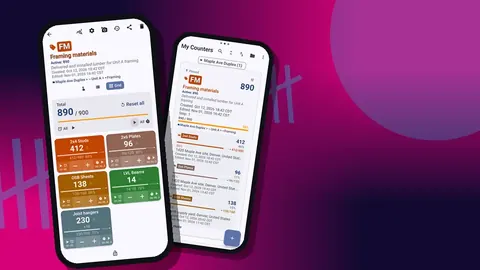
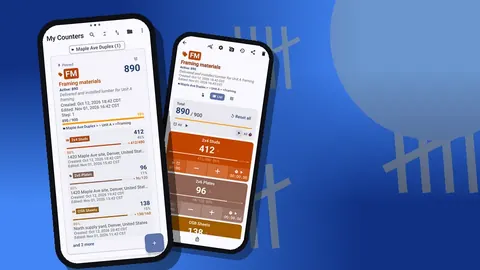
Each area gets a counter, and each material in it gets a tag: 2x4 studs, 2x6 plates, OSB sheets, LVL beams, joist hangers. She gives each counter a short code so the cards are easy to tell apart in the list, and pins the Framing category so it stays at the top.
Then she does a baseline count of what is already on site. It takes about forty minutes. The opening numbers in each tag become the starting point for everything that follows.
Tuesday: the delivery that doesn't match
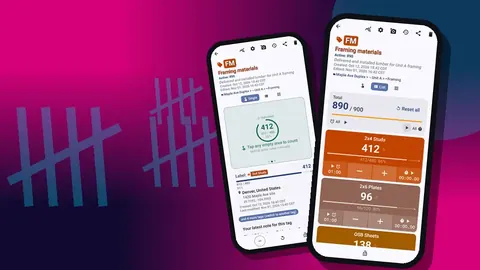
The lumber yard delivers mid-morning. Dana creates a counter called "Delivery Tue, lumber" and adds a tag per line on the ticket, setting each tag's target to the ticket quantity.
As the driver unloads, she counts. Studs come in banded bundles, so she sets that tag's step to the bundle size and taps once per bundle, with a second tag at step 1 for loose pieces. OSB she counts by the sheet.
The list view shows the problem before the driver leaves: the OSB tag sits short of its target. She recounts, gets the same number, photographs the stack, and adds a note on the count event with the ticket number. The driver initials the ticket with the shortfall written on it. In this scenario the yard sends the missing sheets the next day. Whether or not that happens on your site, a timestamped count and a photo make the conversation shorter.
After the check, she adds the delivered quantities to the area counters where the material was stacked.
Wednesday: tracking use without slowing the crew
Tracking use is where most systems die. Carpenters won't stop to fill in a form every time they grab a sheet.
Dana tries a lighter approach. The tags on the deck counters count down from what was placed there, and the lead carpenter logs draws in batches, at breaks and at the end of the day, not per sheet. On his phone he turns on volume-button counting, which works in the background and on the lock screen through a foreground service, with the keys remapped so one subtracts and one adds. A press with a glove on is easier than a tap. The lock-screen notification has minus-step, plus-step and Stop buttons as well.
It isn't perfect. He forgets once, and the end-of-day count catches it. But it is close enough to tell, by Wednesday night, that Unit A is using sheathing faster than planned because of an extra window opening.
There is one detail to watch: the carpenter's phone and Dana's phone are separate. There is no live sync. They agree that he owns the deck counters and she owns the container and deliveries, so nobody counts the same stack twice.
Thursday: the leftover sheathing
Unit B's walls are sheathed by Thursday afternoon, and there are sheets left over on the deck. On the last job those would have been forgotten under a tarp until they were ruined.
Dana counts them, moves the good ones to Unit A, and records the transfer as a minus on one counter and a plus on the other, each with a note. Three sheets have water damage at the edges. She photographs them, opens the photo editor, circles the damage with a brush mark and writes "edges swollen" on the picture. Those three get logged as waste with a note.
The history for both counters now shows the transfer with timestamps minutes apart, which is what a real move of material looks like.
Friday: the weekly picture
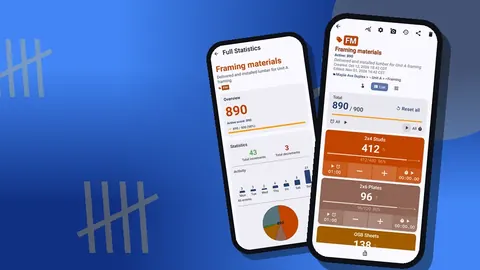
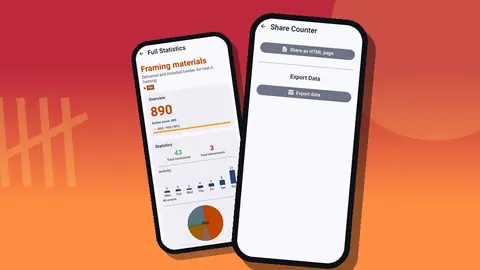
On Friday afternoon Dana counts every area. She resets the tags she wants to recount from zero and keeps running totals on the others, and she checks the dashboard for each counter: total against target, increments against decrements, a seven-day activity chart and a pie chart by tag.
The bar chart shows something useful: almost all the sheathing activity happened on Wednesday and Thursday, which matches the schedule. The hangers have barely moved. She makes a note to check with the carpenters whether the hanger count on site is more than this phase needs.
She exports a Summary and Notes to Excel for the office and sends the lumber yard the HTML report from Tuesday's delivery, which embeds the photos.
How did the crew react to counting on a phone?
In the scenario, the crew's first response is scepticism. The carpenters have seen systems arrive with a lot of enthusiasm and disappear within a fortnight. What wins them over is not the app but the Tuesday shortfall: they had been about to blame each other for the missing sheets until the delivery count showed they never arrived.
Dana keeps the asks small. The carpenters log draws in batches, not per sheet. The labourer does nothing in the app at all; he tells Dana when he moves a pallet and she logs it. Nobody is asked to fill in forms. By Friday the lead carpenter is the one suggesting that the deck counters should have a tag for hold-downs too.
The lesson that carries over to a real site is to start with the person who feels the pain of shortages most, give them the tool, and let the others see the benefit before asking them to do anything.
What changed, and what didn't
By the end of the week, in this example, a few things are different:
- The shortfall on Tuesday was caught before the truck left.
- The leftover sheathing was used instead of forgotten.
- Questions like "when did that pallet go to Unit B?" have an answer in the history instead of a debate.
Other things didn't change. Somebody still has to count. The app doesn't predict usage or price anything. And the counts are only as good as the habit; the day the carpenter forgot, the record was wrong until the evening count fixed it.
The office's view of the week
Seen from the office, the change in this scenario is mostly about timing. Before, the office learned about shortages when a carpenter phoned asking where the sheathing was. Now, a Friday Excel file arrives with the Summary and Notes for each area, and the order for the following week is based on it.
The office manager in the example asks for two adjustments. She wants tag names to match the supplier's catalogue wording, so she can order without translating. And she wants the delivery HTML reports kept in the job folder, because the photos settle questions about damaged material faster than any email thread. Both are cheap to do on site, and both make the counts more useful to someone who never sets foot on the deck.
What would a site manager do differently next project?
- Set up the structure before the first delivery, not on the morning of it.
- Agree on units in writing with the crew: pieces or bundles, sheets or pallets.
- Use QR labels on container racks so the second person on site picks the right tag. A tag can store a barcode or QR value, scanned or typed.
- Back up at the end of each phase. A ZIP backup with only that phase's category, with photos, is small and easy to archive.
- Keep the tag list short. Five to ten materials per area is plenty.
Practical details
For anyone trying this:
- Counter App runs on Android 12 or later, and all counting works offline.
- Counts are stored on each phone, with no account and no Counter App cloud. Move data between phones with a ZIP backup; the import shows a preview and lets you replace, copy or skip duplicates.
- Exports come as CSV, Excel (XLSX) or an HTML report with embedded photos, with sections you choose: Summary, Events, Notes and Locations.
- A counter deleted by mistake on a building site waits in the trash until you restore it.
- Counter App — Tally & Clicker is free to download with no ads; try it free for 3 days, then choose a yearly or monthly plan or a one-time lifetime purchase.
Try it on one phase of one job, the way Dana does in this scenario, and keep only the parts your crew actually uses.
Get the app at counterapp.online.
Frequently asked questions
Is Dana a real site manager?
No. Dana and her duplex build are a hypothetical example written to show a realistic workflow, and all names, quantities and events are illustrative.
Does Counter App timestamp every material count on site?
Yes. The history logs each count with its time and before-and-after value, shows icons for photo, location and tag, and lets you add notes to events.
Can a carpenter log sheathing draws without unlocking the phone?
Yes, after enabling volume-button counting, which runs as a foreground service and works on the lock screen. The lock-screen notification also offers minus-step, plus-step and Stop buttons.
Can the office follow site material counts live?
No. Counter App has no live sync, so the site manager sends an export in CSV, Excel or HTML report form, or a ZIP backup.
How did the delivery count catch a shortfall in the scenario?
Each ticket line got a tag with its target set to the ticket quantity, and List view showed the OSB tag still short of its target while the driver was on site.
How should leftover sheathing moved between units be recorded?
Log a minus on the source counter and a plus on the receiving counter, each with a note, and log damaged sheets as waste with a photo.