Counter App

Daily Mise en Place Count With Your Phone
Key takeaways
A daily mise en place count checks each station against par before service, so shortages become a prep list and 86'd items are announced at line-up. In Counter App — Tally & Clicker, each station is a counter and each component a tag with its par as target, and the chef reads every station's notes before line-up.
- A pre-service mise en place count answers three questions: what is short of par, what cannot be made in time and what is over par.
- A first par for a station component can come from two weeks of start and end counts: usage plus a small buffer.
- In Counter App — Tally & Clicker, mise en place tags can count up to par before service or count down from par as portions are fired.
- Every Counter App tag carries its own timer and stopwatch, so a cook can time a rest or reduction on the component's own tag.
Every cook has lived the service where the beurre blanc ran out at quarter past eight and nobody knew until a ticket asked for it. Almost always the prep was fine; the count was missing. Nobody checked the station against par before doors, or somebody did and wrote it on a scrap that went into the bin with the onion skins.
This guide treats the mise en place count as a fixed two-minute ritual per station, run on a phone instead of a scrap of paper, with a record the chef can read before line-up.
What is a mise en place count for?
The pre-service count answers three questions, in this order:
- What is short of par? That is your prep list for the next hour.
- What cannot be made in time? That gets 86'd at line-up, not at the pass.
- What is over par? That is tomorrow's adjustment, so the station stops over-prepping.
A count that answers only the first question is just a prep list. One that answers all three every day is how a kitchen tightens up over a season, because each answer feeds the next day's pars.
How do you set prep pars?
Par is the quantity of each component a station needs to get through a normal service with a small buffer. Write pars per station, and per day type if Friday looks nothing like Tuesday. Use the unit the cook actually handles: portions for proteins, ninth-pans or quarts for sauces, each for garnish, sheets for pastry.
If you have no pars yet, count what each station starts and ends service with for two weeks without changing anything. Start minus end is usage; usage plus a small buffer is a first par. It will be wrong in places. That is fine; the daily count is what corrects it.
Keep the par sheet short. A station with forty components is either a very big station or one listing things nobody runs out of. Salt and oil do not need par counting; the chef's signature garnish does.
Setting up stations in Counter App
A counter per station
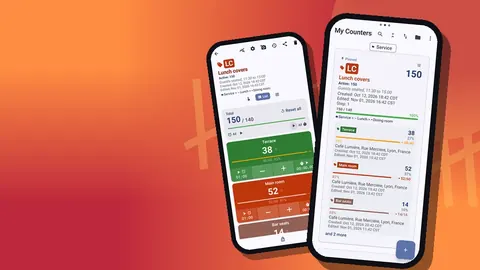
Create a category "Mise en place" and inside it a counter for each station: Grill, Sauté, Garde manger, Pastry, Fry. If lunch and dinner use different setups, add a sub-category per service. Categories nest up to three levels and can be pinned, so the kitchen's counters sit at the top of the list. Give each station counter its own color and a short code such as GR or SA, which shows on the counter card.
The counter description is a good place for the station's standing instructions: "Count reach-in top to bottom, then rail."
A tag per component
Inside each station counter, add a tag for every component on that station, in the order the cook sees them: "Short rib (portion)", "Beurre blanc (quart)", "Pickled shallot (ninth-pan)". Color tags by type, for example proteins red, sauces yellow, garnish green, so a cook can find things by color at a glance.
Steps match how components are stored. If short ribs sit in fours on a tray, set that tag's step to 4: one tap per tray. Steps can be anything from 1 to 100 per tag.
Count up or count down
Each tag's target is its par, and you choose a direction:
- Count up before service. Reset, then tap up to what is on the station. Anything short of target is the prep list.
- Count down during service. Start a tag at par and tap down as portions are fired. When it reaches zero, the target alert tells the cook it is gone.
Most kitchens use count-up before service for the whole station. Count-down during service suits a handful of high-value proteins where knowing "three left" matters. Optional sound or vibration fires on reaching the target, and auto-lock can freeze a tag once it hits par so it is not bumped while the cook moves on.
The two-minute station count
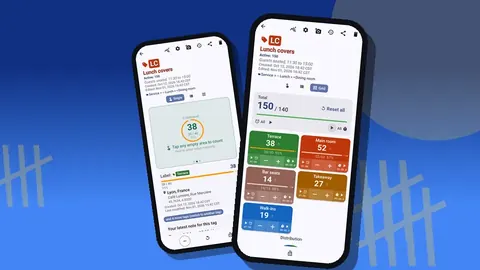
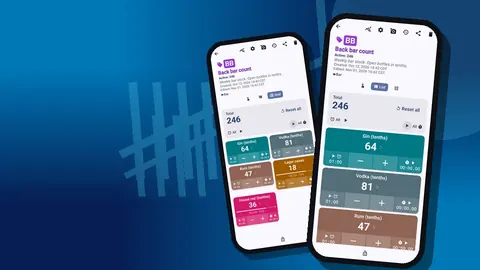
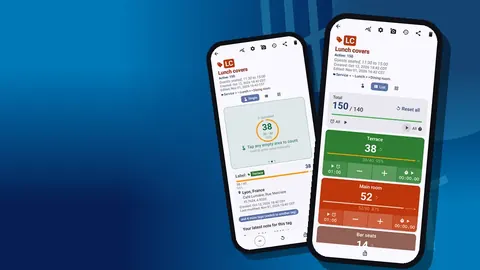
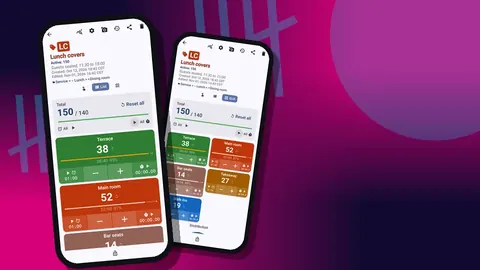
- The station cook opens their counter. Grid view shows each component as a colored tile with its value, target percentage and minus and plus buttons; List view shows the same as rows if the cook prefers reading.
- Reset, then count the reach-in from top shelf to bottom, then the rail.
- For anything short, add a one-line note on the event: "Beurre blanc – making now" or "Halibut – 86 tonight, delivery tomorrow".
- Lock the counter so it is not changed by accident while the cook starts prepping.
Tag display can be collapsed except the most recent, which keeps the component just counted open and folds the rest. Cooks who keep one hand on the reach-in door can enable volume-button counting in settings and count with the side keys; it is off by default and also works from the lock screen. A lock-screen notification offers minus, plus and stop buttons.
Timers that live with the item
Each tag carries its own timer and stopwatch. The timer sheet offers presets of 30 seconds, 1, 2, 3, 5 and 10 minutes, plus manual input, with countdown beeps and a choice of 7 alarm sounds and 8 vibrations. A cook resting a steak or reducing a sauce can start a timer on that component's tag without leaving the screen or hunting for the kitchen timer. Several tags can run timers at once, and you can reset one or all of them.
The stopwatch is handy the other way round: time how long a component actually takes to prep, once or twice, and your prep list starts carrying realistic times.
The chef's pre-shift review
Ten minutes before line-up, the chef opens the All Notes screen. It collects notes from every station counter with their tag labels and times, and it can be sorted. In one list the chef sees what is being made, what is 86'd, and which station is behind. That is the line-up briefing, written by the people who know.
If a station has no notes at all, the chef can check that it was counted: history shows every tap with its time, step and before-and-after value. A station counted at 16:40 in one sweep is very different from one with no events today.
Reading a week of counts
After a week, two places tell you how pars are behaving.
The dashboard on the phone shows each counter's total against target, increments versus decrements, a seven-day activity bar chart and a pie chart by tag. It is enough for a quick check without a laptop.
For a proper look, export the station counters from the share screen to Excel or CSV, choosing sections such as Summary and Events. Lay each component's start-of-service count out by day and look for:
- Always far over par. Lower the par; you are prepping food that goes in the bin.
- Always short on the same day. Raise the par for that day only.
- Frequently 86'd. Look at prep timing and order lead times, not just the quantity.
Change two or three pars a week at most, then watch the next week before changing more.
How do cooks share stations between phones?
Some kitchens use one shared kitchen phone on a shelf by the pass; others let each cook count on their own. Both work. If cooks use their own phones, remember that data lives on each device and nothing syncs live. Build the station structure once, make a ZIP backup of the "Mise en place" category, and import it on each cook's phone. The import preview shows what is coming in and lets you replace, copy or skip duplicates. Cooks then send their export to the chef, or the chef reads the shared phone.
A sample sauté station
An example to adapt, not a standard. A sauté station for a forty-cover dinner might carry nine tags: two proteins counted by portion, three sauces counted by quart, two garnishes by ninth-pan, a blanched vegetable by portion and clarified butter by quart. Proteins are red, sauces yellow, garnish green. The protein on a tray of four has a step of 4. Pars come from the last two weeks of start and end counts. At 16:30 the cook resets the counter, counts the reach-in top to bottom in under two minutes, notes that one sauce is being made now, locks the counter and starts prep. During service the more expensive protein switches to count-down, so the cook sees exactly how many portions remain without opening the drawer.
Nine tags on one screen is a comfortable size. If a station needs twenty, split it into two counters, for example "Sauté: proteins" and "Sauté: sauces and garnish".
Things that make or break it
- The station cook counts their own station. It builds ownership and catches problems where they start.
- Pars are reviewed, not carved in stone. A new menu resets half of them.
- Notes stay short. If writing one takes longer than five seconds, cooks stop.
- The chef reads the notes every day. Cooks notice quickly when nobody does.
- The count happens at the same time. Ninety minutes before doors is common; pick a time and protect it.
For the weekly storeroom count behind daily prep, see the restaurant inventory count guide. Over-prep that ends up in the bin is worth logging separately; food waste tracking shows how.
The mise en place count is the cheapest insurance a kitchen has: pars on paper, a counter per station, a target on every tag and a chef who reads the notes before line-up. Get the app at counterapp.online.
Frequently asked questions
Can each mise en place component have its own par?
Yes. The component's tag target is its par, with an optional sound or vibration when the count gets there.
Can a line cook count prep with wet or gloved hands?
With volume-button counting switched on in settings, the side keys count up and down, also from the lock screen.
Can a cook time a braise or a rest from the prep count screen?
Yes. Each tag has a timer with presets from 30 seconds to 10 minutes, countdown beeps, 7 alarm sounds and 8 alarm vibrations, plus a stopwatch.
How does the chef check every station's prep count before line-up?
The All Notes screen collects notes from all station counters with tag labels and times, and history shows whether each station was counted today.
Can each cook count their station on their own phone?
Yes, after importing a ZIP backup of the station structure. Phones do not sync live, so cooks send exports to the chef or use a shared kitchen phone.
How many components should one mise en place station counter hold?
Around nine or ten fits comfortably on one screen. A station needing twenty is easier to split into two counters, such as proteins and sauces.