Counter App

Photography Gear Inventory App for Android
Key takeaways
A photography gear inventory app should count multiples quickly, record where items are and keep detailed records only for valuable kit. Counter App — Tally & Clicker does this on Android 12+ with nested categories, a counter per gear group and a tag per item holding serials, codes and up to six condition photos, plus CSV, Excel and HTML exports.
- Photography kit is hard to track because it is small and numerous, moves constantly between places and is mixed in value.
- A practical camera gear inventory uses one counter per gear group, such as Lenses or Batteries, and one tag per item or item type.
- Counter App — Tally & Clicker tags can hold serial numbers in notes, a scanned or typed barcode or QR code, and up to six condition photos.
- For an insurance list, a Counter App export with the Summary and Notes sections usually carries serials and purchase dates, though insurers' requirements vary.
Ask a photographer how many lenses they own and you get a confident answer. Ask how many batteries, memory cards, light stands, sync cables and spare caps, and the answer becomes "about". That "about" is harmless until a bag is stolen from a car, a card fails mid-job, or an insurance renewal asks for a list with serial numbers by Friday.
A gear inventory does not need asset-management software. It needs a structure you will actually keep current, stored somewhere you have with you when gear moves. This guide builds one on an Android phone with Counter App, from structure to audits to exports.
Why do photographers lose track of gear?
Photography kit has three properties that make it hard to track. It is small and numerous: one body might come with four batteries, two chargers, a grip, three cards and a strap. It moves constantly between bags, cars, studios, rental houses and clients' offices. And it is mixed in value: a lens worth more than a used car sits next to a cable worth less than a coffee, and both can stop a job if missing.
A good inventory treats those three properties directly. It counts multiples quickly, records where things are, and keeps detailed records only where the value or risk justifies them.
Pick a top-level structure
Before entering anything, decide how to group the kit. Three structures work well:
- By type: Bodies, Lenses, Lighting, Support, Power, Storage, Accessories.
- By location: Studio, Car kit, Travel bag, Home office.
- By system: if you shoot two lens mounts or two flash ecosystems, grouping by system prevents confusion about which trigger fits which flash.
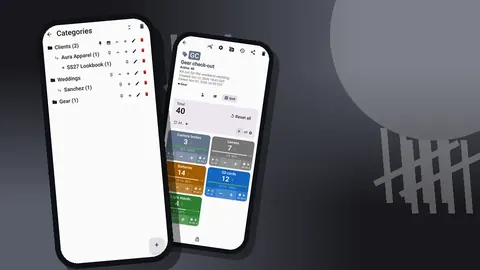
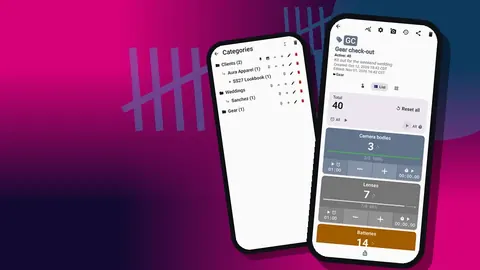
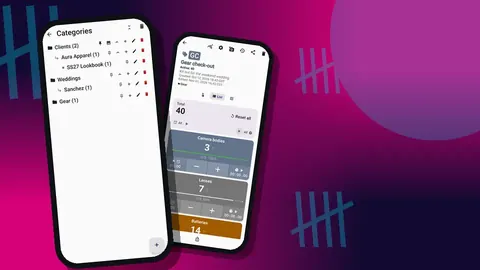
Most photographers end up with type at the top and location underneath, or the other way round if their bags rarely change. Counter App categories nest up to three levels, so "Lighting > Studio > Strobes" works. Categories take custom colors, can be pinned to the top of the list and can be reordered. Deleted categories go to their own trash, so experimenting with structure is low-risk.
Write the structure on paper first. Rearranging a sketch costs nothing; rearranging fifty counters costs an evening.
Counters for groups, tags for items
Inside the categories, the cleanest model is one counter per gear group and one tag per item or item type:
- A counter Lenses with tags such as "24-70 f/2.8", "85 f/1.8" and "70-200 f/4".
- A counter Batteries with one tag per battery model; the tag value is how many you own.
- A counter Memory cards with one tag per capacity or speed class.
- A counter Grip with tags for stands, clamps, arms and sandbags.
For consumables and multiples, the tag value is simply the count. For one-off items, the value is 1 and the tag works as a record card that holds the details. Counters themselves carry a name, a color, a short code, a description, notes and a link. Use the description for something like "car kit, checked monthly" and the link for the policy document or a shared folder of receipts.
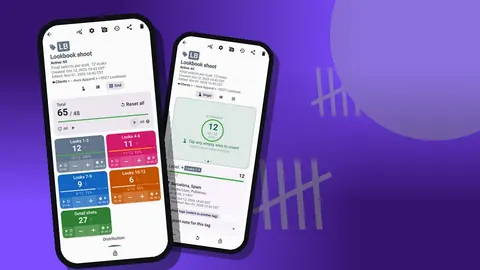
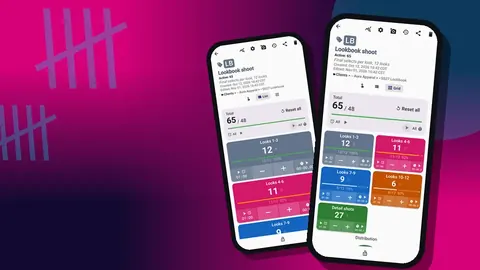
The counting screen can show tags as a list, a grid or a single large counter. For inventory work, the list view is usually clearest, because each row shows the value and target progress side by side.
What to record on each tag
A tag holds much more than a number. For each item, decide which of these fields are worth filling:
- Notes. Serial number, purchase date, seller, warranty end, repair history.
- Link. The receipt, the manual or the manufacturer's support page.
- Location. GPS, a point picked on a map, or a typed place such as "Studio cupboard" or "Second studio". Useful when the same item lives in two places across the year.
- Color. A status signal, for example one color for "out for repair".
- Target. For consumables, the number you want to own, so shortfalls stand out.
- Step. How much one tap adds, from 1 to 100. Useful for items you count in packs.
Do not feel obliged to fill everything. A spare lens cap needs a name and a count. A cinema lens needs the full record.
Codes and serials
A tag holds a barcode or QR code too, which suits labelled gear. Scan the serial barcode on the box or the body with the camera, or type the code if the label is worn, curved or glossy enough to defeat the scanner. If you label cases and pouches with your own QR stickers, store each sticker's code on the matching tag, so a scan during an audit confirms you are looking at the right case.
A practical point: some photographers prefer to keep the serial in the notes as text even when the barcode is stored. Text in notes is visible in exports and readable by anyone, which helps when the insurer asks for "serial number" as a column.
Condition photos
Each tag holds up to six photos. A sensible standard set for a valuable item is: front, back, serial plate, and close-ups of any existing marks. Take them in good light on a calm day, not in the car park after a bag has been dropped.
The built-in photo editor makes the photos more useful as evidence. Draw with a brush to circle a scratch, add the date as text, choose from six colors and four fonts, and rotate shots taken at an awkward angle. A photo with the existing scuff already circled and dated tends to settle questions faster than a written description.
The All Photos gallery collects every tag photo in one grid with labels and dates. Scrolling it once a year is a quick way to see which items have no photos yet.
Finding things when the list grows
A full kit can run to dozens of counters and hundreds of tags. The counter list stays navigable through search, a date-range filter, six sort orders, pinned counters and a choice between list and grid view.
Search works on the counter list, not inside history, so naming matters. Put the details you will search for into counter and tag names: "Batteries – EN-EL15" is easier to find than "Batteries – model 2". Pin the counters you open before every job, such as the daily bag, so they sit at the top.
How do you run a gear audit?
An inventory is only as good as its last check. Two rhythms work for most photographers:
- A quick check before big jobs. Open the counter for the bag you are taking, go down the tags, confirm the count.
- A full audit once or twice a year. Go category by category, confirm every value, update photos where condition has changed, and note anything sold, lost or broken.
For the full audit, a few habits speed things up:
- Reset only the tags you are recounting, not the whole counter, so untouched records keep their values.
- Count multiples with a larger step. If batteries sit in packs of four, set that tag's step to 4 while counting, then back to 1.
- Lock each counter when you finish it, so a later tap cannot change it while you work on the next one.
- If your hands are busy, enable volume-key counting in settings. It is off by default and works from the lock screen too.
What history adds
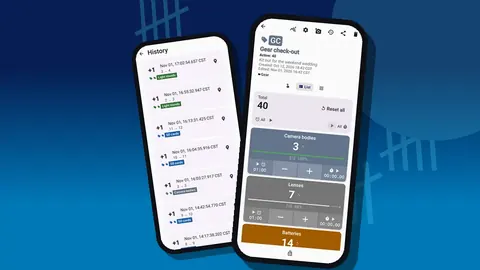
Every change is logged with a time, the step, the before and after values and the tag. Icons mark entries that carry a note, photo or location, so a glance tells you which changes are documented. If your memory-card count dropped from twelve to eleven in March, history shows when, along with any note you left, such as "card failed, binned".
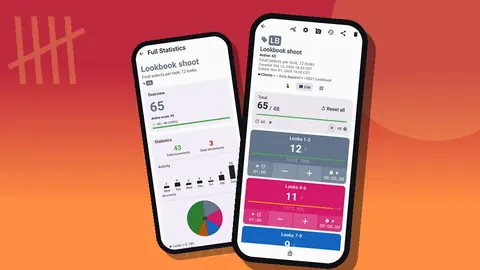
The dashboard sits on top of the same data: a total against target, increments and decrements, a seven-day activity chart and a pie chart by tag. For an inventory, the most useful part is per-tag progress against targets, which shows at once which consumables are below the level you want to own.
Exporting for insurance and planning
When you need a document, export the counter or the relevant counters:
- HTML report with embedded photos: opens in any browser, shows items with their pictures and notes. A good attachment for your own records or for an insurer. Ask your insurer what format they accept; requirements vary.
- Excel (XLSX) or CSV: for adding replacement values, purchase prices and totals in a spreadsheet.
In the export options you choose which sections go in: Summary, Events, Notes and Locations. For an insurance list, Summary and Notes usually carry what is needed, because the notes hold serials and purchase dates.
How do you back up a gear inventory or move it to a new phone?
Your inventory is stored on the phone; there is no account and no Counter App cloud. That makes backups your responsibility, and Counter App makes them straightforward. A ZIP backup includes photos, can be limited to chosen counters or categories, and can compress photos to keep the file small.
On restore, an import preview shows what the file contains and lets you replace, copy or skip duplicates. The same mechanism moves the inventory to a new phone. Make a backup after every full audit and store it where you keep other important files.
Practical tips from the field
- Photograph the packed bag. Attach a photo of the bag's layout to the bag's counter. It doubles as a packing diagram.
- Use color for status. One tag color for "out for repair" or "lent out" makes those items stand out immediately.
- Keep the trash in mind. Deleted counters go to the trash and can be restored, so tidying up is safe.
- Name the unit when it is ambiguous. "Gels (sheet)" versus "Gels (pack)" avoids double counting.
- Make it readable. Size presets and font scaling from 0.7 to 1.5 help when you audit in a dim cupboard.
If you also run a physical studio with shared equipment, the studio equipment tracking guide extends this setup to rooms and team check-outs. For a narrative take on getting a messy collection under control, read one photographer's gear organization story.
Start with one bag
Do not try to catalogue everything in an evening. Start with the bag you take on every job, enter it fully with photos and serials, and add one counter or category at a time after that. Counter App works offline for all counting features, runs on Android 12 and later, and is free to download with no ads; try it free for 3 days, then choose a yearly or monthly plan or a one-time lifetime purchase. Get the app at counterapp.online.
Frequently asked questions
Where should serial numbers go in a camera gear inventory?
Put them as text in the tag notes, where they appear in exports. A scanned or typed barcode can sit on the same tag as a second identifier.
How many condition photos can each lens record hold?
Six per tag. With one tag per lens, that covers the front, rear, serial plate and any existing marks.
Can a gear inventory export serve as an insurance document?
Counter App produces an HTML report with embedded photos as well as CSV and Excel files. Check with your insurer which format they accept.
How do I back up a photography gear inventory?
Create a ZIP backup with photos, optionally limited to chosen counters or categories. On restore, a preview lets you decide whether duplicates are replaced, copied or skipped.
How do I find one lens quickly in a long gear list?
Use search, the date-range filter or one of six sort orders on the counter list, and pin the counters you open before every job. History cannot be searched, so name items precisely.
How often should a photographer audit their camera gear?
A quick check of the bag before big jobs plus a full category-by-category audit once or twice a year suits most photographers.