Counter App

Managing 500 Guests from One Phone: A Scenario
Key takeaways
Managing 500 event guests with a phone works when one planner builds the counters, Arrivals by door, Seating per table and Kit per rental line, in Counter App — Tally & Clicker, copies them to door volunteers by backup ZIP, collects figures by radio every fifteen minutes and exports the night's report. This gala is an illustrative scenario.
- The 500-guest gala story is an illustrative scenario with an invented planner, Maya, and invented figures, not a case study.
- In the scenario, Counter App — Tally & Clicker carried three counters for a large gala, covering arrivals by door, seating per table and rental kit.
- Door volunteers in the gala example counted with the volume keys and radioed figures every fifteen minutes, because phones do not sync live.
- A timestamped note such as "told kitchen 470 at 19:02" records an event-night decision so the figure can be explained later.
- Locking counters not in use reduces the risk of a mistaken reset, since a reset value cannot be brought back from the trash.
This is a scenario, not a case study. Maya is an invented planner, and the gala, the guest numbers and the timings are illustrative. The point is to show, hour by hour, how a single Android phone and a few volunteers' phones could carry the counting load of a large evening event, and where that approach can slip.
The event: a charity gala for 500 invited guests in a hotel ballroom. Two entrances, 50 round tables of ten, a silent auction, a three-course dinner and a rental company delivering chairs, tables, linens, stanchions and radios. Maya's job is to know, at any moment, how many people are in the room, where they are sitting, and whether all the kit is going home.
Two days before: building the structure
Maya builds everything on her own phone first. In Counter App she makes a category "Galas", a sub-category "Hope Gala 2026", and three sub-categories beneath it: "Arrivals", "Tables" and "Kit". Categories can nest three levels deep, with colours, so each of the three areas is visually distinct.
Under "Arrivals" she creates a counter "Arrivals" with tags "Main entrance", "Terrace entrance" and "Late / walk-up". She sets a counter target of 500 with a vibration alert.
Under "Tables" goes a counter "Seating", with 50 tags, "T1" to "T50", each targeted at 10 seats.
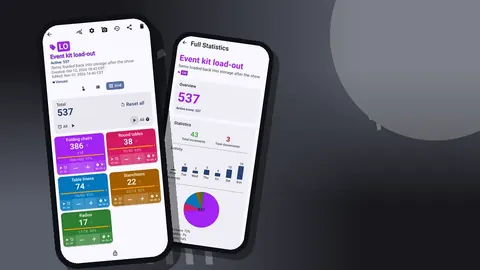
Under "Kit" goes "Kit load-out" with tags for each rental line: chairs, round tables, linens, stanchions, radios. The targets are the quantities on the rental order.
Then she makes a backup ZIP containing only the Arrivals counter and imports it onto the two door volunteers' phones. The import preview shows what will be added and offers replace, copy or skip for duplicates. Each volunteer deletes the tag for the other door, so they only see their own.
Morning of: kit check
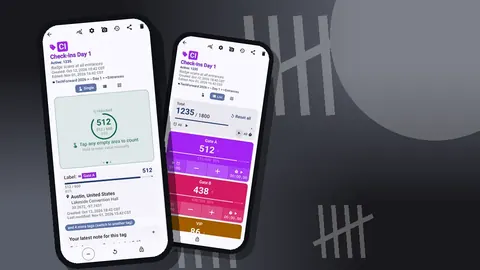
The rental truck arrives at 10:00. Maya stands at the loading bay with the Kit counter in List view: each line is a row with − and + buttons and progress toward its target.
Chairs come in stacks of ten, so she sets the chair tag's step to 10 and counts stacks. Linens come in bundles of five. Radios are counted one at a time.
The linens stop at 52 against an order of 55. Maya adds a note on the count event: "3 linens short on delivery, driver confirmed". She takes a photo of the delivery note and attaches it to the linens tag. Up to six photos fit on each tag, and they come out embedded in the HTML report later.
By 11:30 everything else matches. She locks the Kit counter so nobody adds a stray chair during the day.
18:00: doors open
Two volunteers stand at the entrances, each holding a printed guest list in one hand and a phone in the other. Maya has enabled volume-button counting on their phones during the afternoon briefing, with volume-up mapped to +1 and volume-down to −1, and a different vibration for each. The feature works in the background and on the lock screen via a foreground service, so the phones stay locked in their hands. It's off by default, which is why the briefing included switching it on and doing ten practice presses, then a reset.
Every fifteen minutes the volunteers radio their figures to Maya. She types them into her own phone's Arrivals counter, which has a tag per door, and watches the total against the 500 target.
A volunteer at the terrace door accidentally presses volume-up twice for one guest. She presses volume-down once. History logs both events, so the correction is visible rather than hidden.
19:00: the call to the kitchen
The head chef wants a confirmed number for mains. Guests are still arriving, but the curve has flattened.
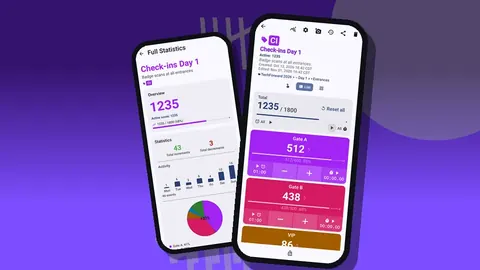
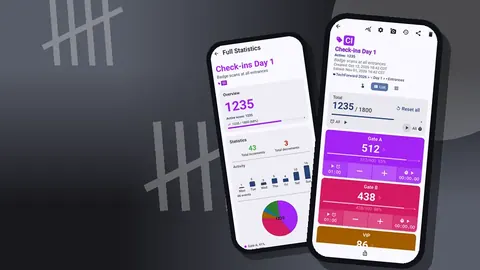
Maya opens the dashboard for Arrivals: total with target progress, increments against decrements, an activity bar chart and a pie chart by tag. The total says 462. History shows the last fifteen minutes brought only a handful of arrivals.
She tells the kitchen 470, leaving a margin for late guests, and adds a note: "told kitchen 470 at 19:02". If anyone asks later why the kitchen plated 470, the note answers.
19:30: tables
Seated guests need checking too, because the auction committee wants to know which tables are full and which have gaps for latecomers.
Maya walks the room with the Seating counter in Grid view. Each table tag is a coloured tile with its value, target percentage and − and + buttons. With 50 tiles, she chooses the display mode that collapses all tags except the most recent, which keeps the screen manageable as she moves through the room.
Ten minutes later she knows that four tables have two empty seats each and one has three. She sends late arrivals to those tables directly.
21:00: the auction
The silent auction closes at 21:00, and the committee needs an idea of how many people are still in the room. Some guests have drifted to the bar outside the ballroom.
Maya asks the door volunteers, who have been counting exits with volume-down, for their current figures. Their running values minus exits show the number still inside. It's a rough number (people who leave via a third service door are not counted) and Maya notes that in a comment on the count event.
She also starts a 10-minute timer on the Main entrance tag. Every tag has its own timer and stopwatch, with presets from 30 seconds to 10 minutes and countdown beeps. When it beeps, she asks the doors again. Two readings ten minutes apart tell the committee whether the room is emptying or holding steady, and that decides whether the auctioneer announces the winners now or waits for the dessert course. A single snapshot could not answer that question. The trend matters more than the exact figure, and two numbers with timestamps are enough to show the trend.
23:30: teardown
Teardown is where kit disappears. Maya unlocks the Kit counter, sets each tag's target to Countdown with a goal of zero, and uses Set counter value to enter what was delivered, so each tag should reach zero as items go back on the truck.
Two crew members count chairs and tables on their own phones; Maya handles linens and radios. A linen comes back with a red wine stain. She photographs it and, in the built-in photo editor, circles the stain with the brush and writes "T22" next to it in text. The editor offers six colours, four fonts and rotation, enough to make a clear evidence photo.
At 00:15 one radio is still missing. History shows the last radio was counted at 23:58. A runner finds it in the AV technician's case.
What could go wrong when counting 500 guests on phones?
The scenario runs smoothly, but several points could have failed on a different night:
- A volunteer forgetting to count during a rush. The fifteen-minute radio check would show a flat line in the volunteer's History, which is a signal to ask what happened.
- A third entrance. Guests using a service door are invisible to the count. Covering or closing every door matters more than the counting tool.
- Phones not syncing. They don't sync live; the radio routine fills that gap. If the radio fails, the per-door counts are still on each phone and can be exported later.
- Pressing reset by mistake. Reset clears a tag. Locking counters that aren't in use reduces the risk; deleted counters can be restored from trash, but a reset value cannot be brought back.
- Battery. Spare power banks for door phones are part of the kit list.
The next morning: the report
Maya exports three counters. For the client she uses "Share as HTML page", which produces a readable report with the delivery-note photo and the stained-linen photo embedded. For the charity's finance team she exports Excel with Summary, Events and Notes.
The report says how many guests arrived through each door and when, how full each table was, what was short on delivery and what came back damaged. The notes ("told kitchen 470 at 19:02", "3 linens short on delivery") are the lines everyone reads first.
What would a gala planner tell another planner?
If she were advising a colleague planning a similar event, the advice might be:
- Build the structure on one phone, then copy it. A backup ZIP keeps every device consistent.
- One counter-holder per door. Two people counting the same door on two phones is a recipe for double counting.
- Write notes when decisions happen. A figure given to the kitchen, a door closed, a supplier short. Notes outlive memory.
- Lock what you're not using. Kit counters especially.
- Export before you sleep. Fresh memory catches mistakes.
The setup, in brief
- Categories: Galas → Hope Gala 2026 → Arrivals / Tables / Kit.
- Arrivals counter: one tag per door, target 500, volume keys on volunteer phones.
- Seating counter: a tag per table, target 10 each, Grid view.
- Kit counter: a tag per rental line, step matched to stacks and bundles, count down at teardown.
- Exports: HTML page for the client, Excel for finance.
For a gala like this, Counter App — Tally & Clicker needs no account, stores the counts on each phone with no Counter App cloud, and is free to download with no ads; try it free for 3 days, then choose a yearly or monthly plan or a one-time lifetime purchase.
Get the app at counterapp.online.
Frequently asked questions
Is the Hope Gala a real event?
No. The Hope Gala, the planner Maya and every figure in the story are invented to illustrate how the app's features could fit a large gala.
Can one phone handle counting for a 500-guest gala?
One phone can hold every counter, but each door needs its own counter-holder and phone; since phones do not sync live, figures are combined by radio and through exports.
Can a gala planner track table seating as well as arrivals?
Yes. Use a seating counter with one tag per table and set each tag's target to that table's number of seats.
Can a planner document a stained rental linen after a gala?
Yes. Attach up to six photos to the tag, circle the stain and add text in the photo editor, and the HTML export embeds the pictures.
What does Counter App cost to run for a large event?
Counter App — Tally & Clicker is free to download with no ads; try it free for 3 days, then choose a yearly or monthly plan or a one-time lifetime purchase, whatever the size of the guest list.
How did the planner give the kitchen a meal number in the scenario?
She read the arrivals total on the dashboard, checked in History that arrivals had slowed, gave the kitchen a figure with a margin and added a timestamped note.
Why do door volunteers need a radio routine with Counter App?
Counter App phones do not share a live total, so regular radio check-ins give the planner a running figure, while each phone keeps its own counts for export.