Counter App

Counting Library Books with an Android App
Key takeaways
A library book count on an Android phone works by giving each bay a Counter App — Tally & Clicker counter and each shelf a tag, counting spines left to right in Grid view, noting damaged or misplaced books, then exporting each bay's Summary to a spreadsheet to compare with last year's stocktake figures.
- A school library book count in Counter App — Tally & Clicker uses one counter per bay and one tag per shelf or Dewey range.
- Setting each shelf tag's target to last year's figure makes the progress percentage show at once where a library section has shrunk.
- Class sets in a school library can be tracked with one tag per title, the ISBN stored as the barcode value and the set size as the target.
- Counter App is a lightweight library stocktake tool for shelf counts and damage notes, not a replacement for a library catalog.
- Student helpers can each take one bay counter, and locking finished counters stops stray taps changing completed bays.
A school library stocktake usually happens in the last weeks of the summer term, by one librarian, a handful of volunteers and whoever wandered in at lunch. Most small libraries do not have a library management system with a handheld scanner, and those that do often find it is overkill for a quick "how many books are actually on the shelves?" check. A tally app on a phone is a lightweight alternative. It will not replace a catalog, but it can give a reliable shelf count, a record of damage and a report the head teacher can read.
What should a school library stocktake answer?
Library counts tend to answer one of these questions:
- How big is the collection, by section? Useful for budgeting and for spotting sections that have shrunk.
- What is missing? Needs a known starting figure per section or title to compare against.
- What condition is the stock in? Needs notes and maybe photos as well as numbers.
- Are class sets complete? Needs per-title counts with a target.
A full stocktake often covers all four, but the first one is the backbone. Start there and add the rest where they matter.
Planning the stocktake week
A stocktake goes better with a short plan. Close the library for loans for the days you count, or at least stop issuing books from the bays being counted, so the shelves do not change under your fingers. Shelve the returns first. Print a simple floor plan with each bay's code on it and tape it by the door, so helpers know where to go next without asking. Decide in advance how you will treat books found in the wrong section: either count them where they belong and reshelve them on the spot, or count them where they are and add a note. Mixing the two approaches in one stocktake is the most common reason totals disagree with the catalog.
Structure in Counter App
Think in physical locations. A library has bays, shelves and boxes, and counting is easiest when the app mirrors how you walk the room.
A workable structure:
- Categories for the big divisions, nesting up to three levels: "Library > Fiction > Junior", "Library > Non-fiction > 500s", "Library > Class sets".
- A counter per bay or per run of shelving, with a short code you can also stick on the end of the bay, such as "F3" for fiction bay 3.
- A tag per shelf or section inside the bay: "Shelf 1 A–C", "Shelf 2 D–G", or Dewey ranges like "590–599".
Give each tag a target equal to the last known count, if you have one. The progress bar then shows the difference as you go. If you have no previous figure, leave targets empty this year and use this year's count as next year's target.
Color the counters by section, for instance green for fiction and blue for non-fiction, so the counter list reads like a map.
How do you count library books shelf by shelf?
Work one bay at a time, left to right, top to bottom.
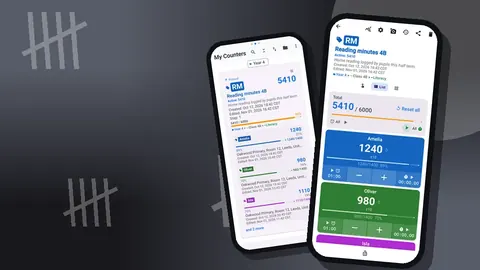
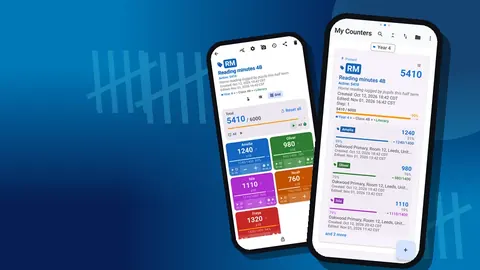
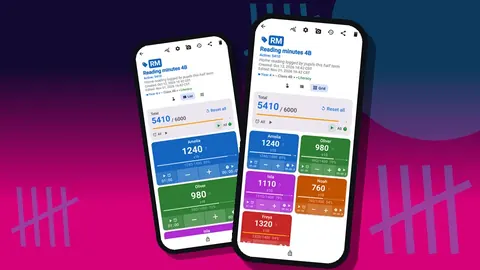
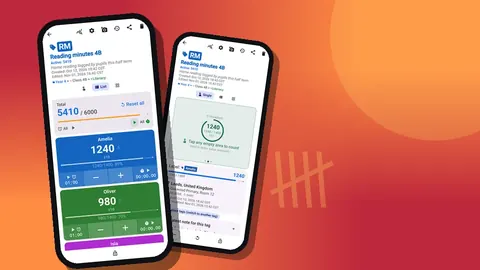
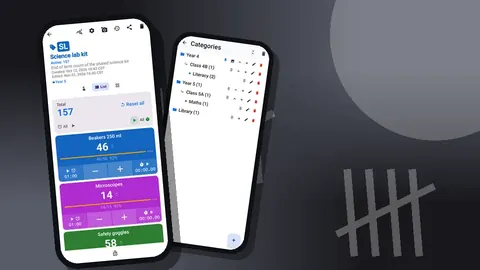
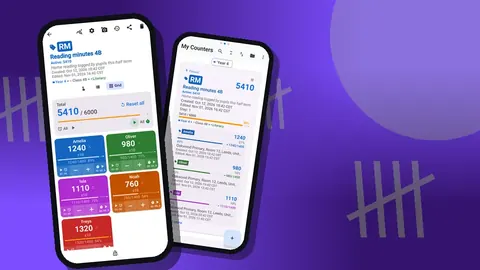
- Open the bay's counter and choose Grid view, where each shelf tag is a large tile with plus and minus buttons and its target percentage.
- Reset the counter, or reset each tag before you start it.
- Run a finger along the spines and tap plus for each book. For a long shelf of identical paperback series, a helper can count in fives by setting the tag step to 5, then change the step back to 1 for the last few books.
- When the shelf is done, glance at the percentage. A shelf at 85% is worth a second look before you move on.
- Lock the counter when the bay is complete.
Books that are out on loan are not on the shelf, so the shelf count will be lower than the catalog. Count what is there, and handle loans in the report.
If the library has trolleys of returns waiting to be shelved, either shelve them first or give them their own counter called "Returns trolley" so they are not lost between categories.
Class sets and reading schemes
Class sets are where individual titles matter. A set of 30 copies of a class novel is a single expensive item from the department's point of view, and losing five copies breaks it.
Create a counter for class sets with one tag per title. Store the ISBN as the tag's barcode value, scanned with the camera or typed in, and set the target to the size of the set. When a set comes back from a classroom, count it onto the tag and watch for a shortfall.
Reading scheme books work the same way, but by level rather than title: a tag per color band or level, with targets for how many books each band should have.
A tag's notes are a good place to record which class has the set, and a tag can also store a place, so "Room 14" can sit alongside the count.
Missing and damaged books
Add a note to the count event whenever you see something worth recording: a torn cover, a water-damaged spine, a book in the wrong section. Starting each note with a keyword like "DAMAGED" or "WRONG SHELF" makes the list easy to scan.
The All Notes screen collects these notes with their tag labels and times, and you can sort the list. At the end of the stocktake, that list is your repair and reshelving to-do list.
For badly damaged stock, attach a photo to the tag; each tag holds up to six. The photo editor lets you circle the damage with a brush or add a short text label, which is useful when asking for a replacement budget.
Can student helpers join a library book count?
Stocktakes go faster with more hands, and students often enjoy them. A few rules keep the data clean:
- Give each helper one counter, which means one bay. They do not need to see the rest.
- Lock finished counters so a helper cannot change a bay someone else has done.
- Show helpers the minus button: a wrong tap is fixed by one tap the other way.
- Turn on volume-button counting if helpers prefer pressing a physical key while looking at the shelf. It is off by default, the keys can be remapped, and each key can have its own sound and vibration.
Because there is no live sync between phones, the simplest approach is to have helpers count on one shared device in turn. If several phones are used, each helper can send a backup ZIP of their counters, and the librarian imports them with a preview, choosing copy, replace or skip for duplicates.
Checking the count
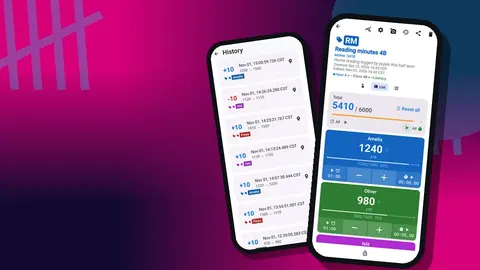
Before reporting, look over the history for a few counters. Each event shows the step, the exact time and the value before and after. A burst of minus taps on one shelf might mean the helper miscounted and corrected it, which is fine, or it might mean the shelf needs recounting.
The dashboard for each counter shows the total against the target, increments against decrements, a seven-day activity chart and a pie chart by tag. For a library, the pie chart is a quick way to see which shelves hold most of the stock in a bay.
Reporting the stocktake
Most stocktake reports need a table: section, count, last year's count, difference. Export each counter as CSV or Excel with the Summary section ticked and you get one row per tag. Combine the bays in a spreadsheet and add last year's figures.
If you want to include the damage list, tick Notes in the export dialog. The HTML report is the better choice when photos matter, because it embeds them.
Remember that exported files leave the phone. Store them wherever the school keeps library records.
A hypothetical stocktake
Imagine a primary school library with twelve bays of fiction and eight of non-fiction, plus a shelf of class sets. The librarian sets up twenty-one counters before the stocktake week. Over three lunchtimes, she and four Year 6 helpers count all the bays, each helper taking two or three. The class set counter turns up two titles that are short by four and six copies, and the notes list holds thirty items flagged as damaged.
She exports the summaries, compares them with the previous year's paper figures, and writes a one-page report: the junior fiction section has grown, one non-fiction bay has shrunk noticeably, and two class sets need topping up. These figures are invented for the example, but they show the kind of report a simple count supports.
After the stocktake
- Set this year's counts as next year's targets by editing each tag's target.
- Make a backup ZIP of the library categories; you can choose which counters to include and whether to compress photos.
- Use the counter list's sort orders and date-range filter to find bays that were not counted.
- Keep the class sets counter in use through the year, counting sets in and out as classes borrow them.
- Delete practice counters; they go to the trash and can be restored if needed.
Counter App — Tally & Clicker needs Android 12 or later, counts offline between the shelves, and is free to download with no ads; try it free for 3 days, then choose a yearly or monthly plan or a one-time lifetime purchase. Get the app at counterapp.online.
Frequently asked questions
Can a school librarian store ISBN barcodes on tags?
Yes. A tag stores a barcode or QR value from the camera or typed manually, which suits class sets and individually tracked titles; shelf totals are counted by tapping.
How can student helpers count one library bay without changing others?
Give each helper a single bay counter and lock the counters already finished, so stray taps cannot alter them.
How does a librarian see what changed during a stocktake?
The history lists every count event with its time and before-and-after value, and each counter's dashboard adds totals, a seven-day chart and a pie chart by tag.
Can library stocktake results go to the head teacher or a governor?
Yes. Export the bay counters as CSV or Excel, or share an HTML report, ticking the sections you want: Summary, Events, Notes and Locations.
Does a library stocktake in Counter App require an account?
No. Counter App has no account and no Counter App cloud; the shelf counts are stored on the phone.
Should books on loan be counted in a library stocktake?
Count only what is on the shelf, since loaned books are not there, and reconcile loans against the catalog in the report.
How should misplaced books be handled during a library count?
Pick one rule before you start, either reshelve and count them where they belong or count them where they are with a note, and use it for the whole stocktake.