Counter App

Tracking Student Attendance and Behavior Tallies
Key takeaways
Student attendance and behavior tracking with a phone tally app means defining each behavior in one line, giving each student a Counter App — Tally & Clicker counter under a code, tapping a tag per event during lessons, timing durations with the tag stopwatch, and reviewing the history and dashboard after two weeks. The official register still records attendance.
- Student attendance and behavior tallies suit discrete, countable behaviors such as minutes late, call-outs, prompts to start a task and hands up.
- A one-line behavior definition stored in the counter description keeps tallies comparable when several adults count the same student.
- Counter App — Tally & Clicker supports one counter per student, identified by a code rather than a full name, with up to four behavior tags.
- A behavior tally app supplements the school's official attendance register and does not replace it.
- Counter App stores student tallies on the phone with no account and no Counter App cloud, so teachers must still follow school data policy.
Many conversations about a student start with a feeling: "he's late a lot", "she never volunteers", "it's worse after lunch". Feelings are a reasonable starting point, but they are hard to act on and easy to dispute. A few weeks of simple frequency data turns the feeling into something a teacher, a parent, a special educational needs coordinator and the student can look at together. This guide covers how to collect that data quickly with a phone tally app, without turning lessons into data entry.
Which student behaviors can you track with tallies?
Tallies are the right tool for behaviors that are discrete and countable:
- arriving late, and by how many minutes;
- calling out, getting up, leaving the room;
- prompts needed to start a task;
- hands up, questions asked, contributions in discussion;
- completed homework, missing equipment.
They are less useful for behaviors that are continuous or vague, like "engagement" or "attitude". For those, either break the behavior into something countable or measure duration instead.
Remember that the official register remains the record for statutory attendance. A tally sits alongside it, catching detail the register does not: a student marked present who arrives eight minutes late every Tuesday is a pattern worth noticing.
How do you define a behavior before counting it?
Before counting, write a one-line definition that a colleague could apply the same way. Compare:
- vague: "disruptive";
- usable: "speaks to the whole class without being invited, during teacher talk".
Good definitions say what the behavior looks like and when it counts. Write the definition in the counter's description field, so it travels with the data. If several adults count the same student, the definition is what makes their numbers comparable.
Count positive behaviors too. A plan built only on negatives tends to produce more of them. If the goal is fewer call-outs, count hands up as well, and celebrate the second number rising.
Setting up in Counter App
Use one counter per student. Use a code rather than a full name, for example initials plus class, and keep a key elsewhere if your school requires it. The code badge appears on the counter card, so the list stays readable without showing full names to anyone glancing at your screen.
Inside the counter, add a tag for each behavior you are tracking, ideally no more than four:
- "Late (min)" with step 1, so each tap is a minute;
- "Call out";
- "Prompt to start";
- "Hand up".
Give positive behaviors a green color and others a neutral color rather than red; you will be showing this to a student at some point.
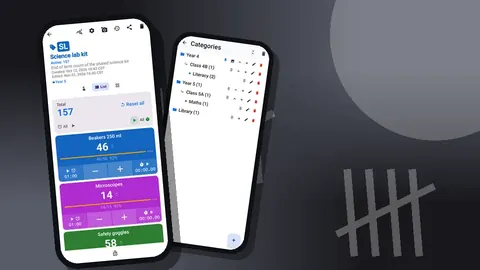
Categories, which nest up to three levels, can hold the support plans: "Support > Year 8 > Term 2". Pin the category while the plan is active.
Recording during lessons
Speed decides whether data collection survives. A few habits help:
- Open the student's counter before the lesson, not when the first event happens.
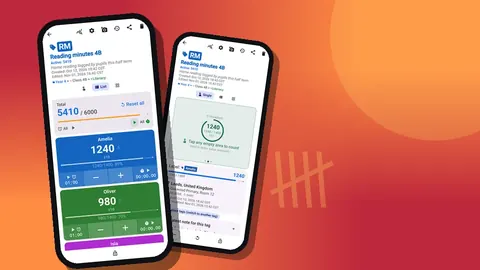
- Use Single view for one key behavior: a large circular counter for that tag, with target progress and the tag's latest note. If you track more than one behavior, List view is the better fit.
- Use List view if you track several behaviors at once, with a row per tag and plus and minus buttons.
- Correct mistakes with minus. The history keeps both events, which is honest and fine.
Volume-button counting can help when you are moving around the room. Turn it on in settings; the keys can add or subtract in the background and on the lock screen. You can remap the keys and set a silent vibration per key so the count is invisible to the class. It is off by default, and some devices still show the volume bar.
The lock-screen notification has minus, plus and Stop buttons, which is often enough for a discreet tap.
Duration and timing
Some behaviors matter for how long they last rather than how often they happen: time out of seat, time to settle, length of a refusal. Each tag has its own stopwatch, which you can start and stop from the counting screen. Record the duration as a note on the event, such as "4 min, resolved with choice".
Interval sampling is another option: every few minutes, check whether the behavior is happening and record yes or no. The tag timer has presets of 30 seconds, 1, 2, 3, 5 and 10 minutes, with countdown beeps and a choice of seven alarm sounds and eight vibrations. A silent vibration every five minutes is a good prompt to look up and record.
Goals and positive reinforcement
Once you have a baseline, set a goal with the student. Tags and counters can count up to a target or down from one, and reaching it can trigger a sound or vibration. Options include:
- Count up: "Hand up" with a target of 5 per lesson. When the alert goes, that's a visible win.
- Count down: "Reminders" starting at 3. Keeping one in hand at the end of the lesson earns the agreed reward.
- Auto reset starts the next lesson at zero; auto lock prevents accidental extra taps once a goal is reached.
Keep goals small and adjust them as the student succeeds. A goal that is achieved most days is more motivating than an ambitious one achieved rarely.
Reviewing the data
After a week or two, look at the data in two places.
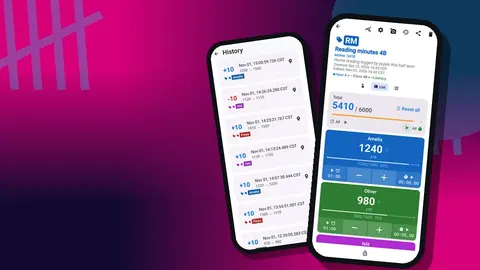
The history lists every event with step, exact time and the value before and after. Scrolling it, you can see whether events cluster at particular times: the start of the day, after break, the last lesson on Friday. History is not searchable, so consistent notes help.
The dashboard shows the total against the target, increments against decrements, a seven-day activity chart and a pie chart by tag. The bar chart makes day-of-week patterns visible. The pie chart shows the balance between positive and other behaviors.
Look for patterns in time and context, not just totals. Five call-outs in one lesson and none in four others tells a different story from one a day.
Adding context with notes
Numbers say how often; notes say why. A short note on an event can record what happened just before (the antecedent) and what happened after (the consequence): "after partner change; settled with a task card". Over a few weeks, notes reveal triggers that frequency alone cannot.
The All Notes screen collects every note for the counter with its tag and time, and it can be sorted. Before a meeting, reading the notes list for five minutes is often more useful than the totals.
Keep notes factual and professional. Write as if the student and their family might read them, because in some schools they can request to.
Sharing with colleagues and families
For a support meeting, export the student's counter. CSV and Excel exports let you tick Summary, Events and Notes; a Summary plus Notes export gives a short, readable overview. The HTML report is useful when you want a single document to show on screen.
With families, show rather than tell. A dashboard bar chart showing call-outs falling over three weeks, next to hands up rising, is a positive conversation that a parent can understand at a glance.
With the student, share the goal tag. Students often like seeing the circle fill in Single view.
How should teachers protect student behavior data?
Behavior data about a named student is sensitive. Counter App stores this data on the phone, with no account, no Counter App cloud and no live sync between phones. That reduces some risks, but it puts responsibility on you:
- follow your school's policy on student data on personal or school devices;
- use a screen lock;
- use codes rather than full names in counter titles;
- store exports in the school's approved location and delete local copies;
- lock counters when lending the phone to anyone.
Deleted counters go to the trash and can be restored, so an accidental delete is not a disaster. When a plan ends, delete the counter, check what remains in the trash, and follow your school's policy on removing records. If you change phones, use a backup ZIP to move the data; the import preview lets you replace, copy or skip duplicates.
A hypothetical review
Imagine a Year 8 student whose teacher feels he is "always late and always calling out". She sets up a counter with three tags: "Late (min)", "Call out" and "Hand up". Over two weeks, the history shows that lateness happens almost only on days with a first lesson in a distant building, and call-outs peak in the second half of double lessons. Hand ups are steady at two or three a lesson.
At the support meeting, the plan becomes practical: a hall pass for the long walk, a short movement break midway through doubles, and a target of four hand ups per lesson with an alert. Three weeks later, the dashboard shows the call-out slice of the pie shrinking. The student and numbers in this example are invented to illustrate the process.
Practical details
- Android 12 or later is required.
- Counting works offline.
- The app offers 13 count sounds and 8 vibration styles; in class, a vibration is usually the better choice.
- It is free to download with no ads; try it free for 3 days, then choose a yearly or monthly plan or a one-time lifetime purchase.
Get the app at counterapp.online.
Frequently asked questions
Can a teacher record when a student's behavior happened, not just how often?
Yes. Counter App logs every count in the history with its exact time and before-and-after value, and any event can carry a note about context.
Can a teacher measure how long a student's refusal or time out of seat lasts?
Yes. Every behavior tag comes with a stopwatch as well as a timer; time the episode with the stopwatch and record the duration in a note on the event.
Does a behavior tally app replace the official attendance register?
No. Statutory attendance belongs in the school register; a tally app adds frequency detail such as minutes late or prompts needed to support a plan.
Where does Counter App store student behavior data?
On the phone, with no account and no Counter App cloud; exports, shared reports and backup ZIPs are files you create and must store under school policy.
Can behavior tallies be exported for a support meeting?
Yes. Export the student's counter as CSV or Excel with Summary, Events and Notes as needed, or share an HTML report to show on screen.
What makes a behavior definition usable for tallying?
It states what the behavior looks like and when it counts, for example "speaks to the whole class without being invited, during teacher talk" rather than "disruptive".
Should positive behaviors be tallied alongside negative ones?
Yes. Counting hands up next to call-outs gives a balanced picture, and a rising positive number is easier to celebrate with the student and family.