Counter App

Lab Equipment Inventory for School Science Departments
Key takeaways
A practical lab equipment inventory for schools uses Counter App — Tally & Clicker on Android: categories for department, room and cupboard, one counter per cupboard or trolley, one tag per equipment type with the full complement as its target, a separate breakage counter, and a full audit once a term with spot checks in between.
- A school lab equipment inventory in Counter App — Tally & Clicker maps department, room and cupboard onto three category levels.
- Each glassware type in a lab inventory is a tag with a target equal to the full complement, so "22 of 30 beakers" shows the gap at once.
- Lab breakage can be logged on a separate "Breakage this term" counter, whose dashboard shows which items and weeks had the most losses.
- Expensive lab instruments such as microscopes and balances deserve individual tags holding the school asset number as a barcode or QR value.
- Chemical stock usually falls under separate regulated record keeping; a Counter App lab inventory covers equipment and consumables.
A science department has more small, breakable, shared things than almost any other part of a school. Beakers, test tubes, thermometers, goggles and microscope slides move between rooms every lesson, and a single dropped tray can take out a class set. The technician often knows exactly what is missing, but that knowledge lives in their head, and the paper inventory in the prep room was last updated two summers ago. This guide sets out a practical lab inventory that can be kept on an Android phone and updated in the time between lessons.
Map the department first
Before opening any app, walk the department with a notepad and list the storage places. A typical secondary department might have:
- a prep room with glassware cupboards, a chemical store and a fridge;
- three to six labs, each with its own drawers and a goggle cabinet;
- trolleys or trays for particular practicals;
- a cupboard of expensive instruments: microscopes, balances, data loggers.
Write down what lives in each place now, not what is supposed to live there. The difference between the two is the first useful thing the inventory will show you.
Chemicals usually have their own regulated record keeping. This guide is about equipment and consumables; keep chemical stock in whatever system your school's safety rules require.
Structure in Counter App
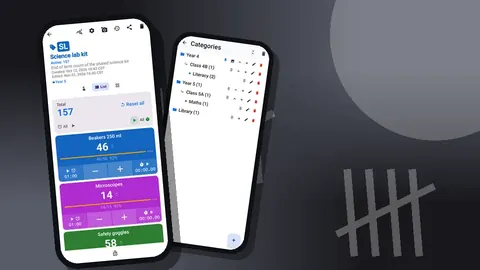
Counter App organizes counters in categories that nest up to three levels. For a department, that maps cleanly:
- Level 1: Science
- Level 2: Prep room, Lab 1, Lab 2, Lab 3
- Level 3: Glassware cupboard, Goggle cabinet, Instrument cupboard
Each cupboard, drawer set or trolley becomes a counter. Inside the counter, each equipment type is a tag: "Beakers 250 ml", "Test tubes 16 mm", "Thermometers", "Bunsen burners", "Safety goggles". Tags have their own color, so you might color glassware blue, heat equipment orange and safety items yellow across every counter, which helps when you are switching between cupboards.
Set a target on each tag equal to the full complement. A tag reading "Beakers 250 ml: 22 of 30" tells everyone the gap without any arithmetic. Pin the prep room category so it sits at the top of the list.
Individual instruments and asset labels
Most glassware is counted by type, but expensive instruments deserve individual tags. A microscope, a balance or a data logger can be one tag each, with the school asset number stored as a barcode or QR value. If the asset label has a printed code, scan it with the camera; if it is worn or handwritten, type it.
Each tag can also hold a GPS point, a map pin or a typed place, which is usually overkill inside one building but useful if instruments are lent to another site or a partner school. A tag's notes can carry the serial number, the last service date and any quirks ("fine focus sticks, use gently").
How do you track breakage of lab equipment?
Breakage is normal in a school lab. What matters is knowing how much, of what, and when, so the department can budget and spot a practical that destroys more kit than it should.
Two approaches work:
- Count down on the stock tag. When a beaker breaks, press minus on "Beakers 250 ml" and add a note to the event: "dropped, Y9 rates practical". The history records the time, the value before and after, and the note icon.
- A separate breakage counter. Create a counter called "Breakage this term" with the same tags, and press plus whenever something breaks. This keeps the stock count stable between audits and gives a clean breakage total.
The second approach is easier to report, because the breakage counter's dashboard shows the total, the pie chart by tag and a seven-day activity chart. If one week stands out, the history tells you which lessons it came from. History is a list to scroll rather than search, so notes added at the time of breakage are what make it readable later.
How often should a school lab inventory be audited?
A full audit once a term, plus spot checks of the busiest cupboards, is a realistic rhythm for one technician.
For the full audit:
- Open the counter for the cupboard in front of you.
- Reset it, or reset individual tags, so you are counting from zero.
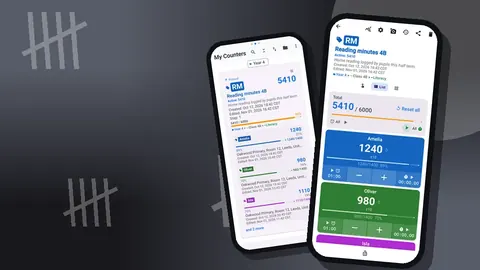
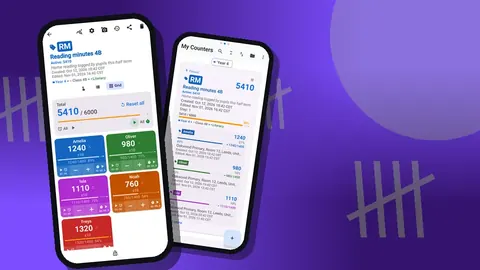
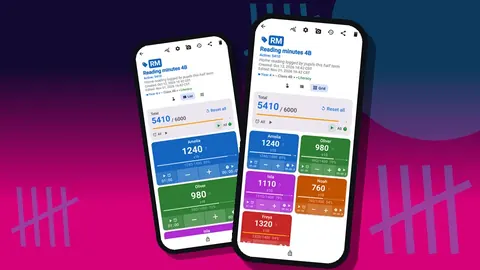
- Use Grid view: each tag is a colored tile with plus and minus buttons and its target percentage. A tile at 70% stands out immediately.
- Count shelf by shelf. For glassware stored in tens, set the tag's step to 10 and count racks.
- Add notes for chipped items or anything that should be withdrawn.
- Lock the counter when you finish, so later taps do not change it.
For counting at speed, enable volume-button counting in settings. You can map one key to plus and one to minus, with their own sound or vibration, and keep both hands near the shelf. It is off by default, and some phones still show the volume bar when you press the keys.
Spot checks are quicker: open the counter, look at the progress bars, and only recount tags that look wrong.
Required practicals and kit lists
Many courses have required or core practicals that need a set kit per group. A counter per practical works as a packing list: tags for each item, targets equal to the number needed for a class of, say, eight groups.
When the technician sets up the trays, they count each item onto the tray and watch the target bars fill. When the trays come back, they count again. Anything below target is either still in the lab or broken, and either way it is visible before the next class needs it.
Tags also have their own timer and stopwatch. Presets run from 30 seconds to 10 minutes, and the countdown beeps before the alarm. A technician preparing agar plates or testing a water bath can run a timer on the relevant tag without opening another app.
Photos and annotated cupboards
Each tag holds up to six photos. Useful ones include:
- a photo of a fully stocked cupboard, so anyone can see what "complete" looks like;
- a photo of each instrument with its asset label visible;
- photos of damage, for repair requests or insurance.
The photo editor lets you rotate, draw with a brush in six colors and add text in four fonts with bold, italic, underline or strikethrough. Circling a crack in a microscope stage, or writing "top shelf: 100 ml beakers" across a cupboard photo, makes the record much clearer for a trainee technician or a supply teacher.
All photos for a counter appear together in a gallery with tag labels and dates.
Finding things later
The counter list has search, a date-range filter and six sort orders, so you can jump to "Lab 3 drawers" or show only counters updated this term. Inside a counter, the All Notes screen lists every note with its tag and time, and it can be sorted. That is often the fastest way to answer "what did we say was wrong with the balance?".
Keep note wording consistent: start each note with a keyword such as "BROKEN", "MISSING" or "REPAIR". When you scan the notes list, the pattern jumps out.
Sharing with the department
Heads of department and business managers want figures, not app screens. Counter App exports in three ways:
- CSV for anyone who works in a spreadsheet.
- Excel (XLSX), which opens directly in most office software.
- HTML report with embedded photos, which is useful for repair requests and handovers.
The export dialog lets you include the Summary, Events, Notes and Locations sections. For a term report on breakage, Summary plus Notes is usually enough. For an equipment bid, include photos via the HTML report.
The lab inventory is stored on the technician's phone, with no account and no Counter App cloud. If two technicians share the work, there is no live sync either; one can send a backup ZIP, and the other can import it with a preview that offers replace, copy or skip for duplicates.
A hypothetical department
Picture a department with four labs and one prep room, run by one technician. She creates a Science category with five room subcategories, then about twenty counters for cupboards and trolleys. The setup takes most of an INSET afternoon.
In the first audit she finds that one lab has twice as many goggles as it needs and another is short by twelve. Moving them takes five minutes, and the department avoids a purchase. Over the term she logs breakage on a separate counter, and at the end the dashboard shows that most glassware losses came from one practical. The department changes how that practical is set up. These numbers are an example, not data from a real school, but this is the kind of decision a simple record makes possible.
Practical details
- Android 12 or later is required.
- The app works offline, which matters in labs with thick walls and weak signal.
- Make a backup ZIP at the end of each term, choosing which categories to include and whether to compress photos.
- A counter deleted by mistake in a school waits in the trash until you restore it.
- Six theme skins and light or dark mode are available; a high-contrast skin can help in a bright lab.
- Counter App — Tally & Clicker is free to download with no ads; try it free for 3 days, then choose a yearly or monthly plan or a one-time lifetime purchase.
Get the app at counterapp.online.
Frequently asked questions
How should a science department structure a lab inventory across several rooms?
Use Counter App categories, nested up to three levels, for department, room and cupboard; each cupboard or trolley becomes a counter and each equipment type a tag.
Can a lab technician record glassware breakage separately from the stock count?
Yes. Keep a separate breakage counter with matching tags, or press minus on the stock tag, and add a note to each event; the history keeps the exact time.
Can a lab technician attach photos of a broken instrument?
Yes. A tag holds a maximum of six photos, the editor adds text, brush marks and rotation, and the HTML report embeds them for repair requests.
Can a microscope's school asset number be stored in its tag?
Yes. A tag stores a barcode or QR value from the camera or typed manually, linking the asset label to one specific instrument.
Does a lab inventory in a thick-walled science block need a network connection?
No. Counting works offline, and the inventory is kept on the phone with no account and no Counter App cloud.
Should chemicals go into the same counter app inventory as glassware?
Chemical stock usually has its own regulated record keeping, so keep it in the system your school's safety rules require and use the counter for equipment and consumables.
How can a technician check a practical's tray kit before and after a lesson?
Create a counter per practical with targets equal to the number needed for the class, count items onto the trays, and count again when they come back.