Counter App

A Program Director's Tracking Setup: A Worked Example
Key takeaways
In this hypothetical story, a nonprofit program director moves attendance and volunteer-hour tracking from binders to Counter App — Tally & Clicker on staff Android phones. Categories per program, identical tags per meal night, counting rules in tag notes and timestamped exports turn a stressful grant-report weekend into an afternoon with figures she can explain.
- The program director Maria in this nonprofit story is a hypothetical composite; her numbers are illustrations, while the Counter App features are real.
- Identical tags across repeated meal nights make every Counter App export line up column for column.
- Writing the counting rule into each tag's notes keeps it on the counting screen for every volunteer who picks up the phone.
- Timestamped Events exports let a nonprofit cut its counts to a funder's grant period even when it differs from the calendar year.
Maria is not a real person. She is a composite program director at a small community nonprofit, invented to show how a counting setup can work in practice. Her organization runs a weekly community meal, an after-school homework club and a seasonal coat drive, with two paid staff and about forty regular volunteers. Every number below is an illustration, not data from a real organization. The app features are real.
Why did grant reports take a whole weekend?
Report season always arrived the same way for Maria. Sign-in sheets were scattered across three binders. A few meal nights had no sheet at all, because the volunteer who handled it was off sick. The homework club figures lived in a colleague's notebook. Maria pieced together totals, rounded where she had to, and submitted them with a knot in her stomach.
Picture a program officer at a site visit asking a fair question: on how many meal nights did attendance drop below thirty, and why? With binders, there is no good answer. That is the kind of moment that pushes a director to move tracking into the work itself, instead of tidying it up afterwards.
Choosing a tool
Maria's requirements were modest and practical:
- It had to run on the Android phones staff already carried.
- A volunteer had to learn it in under a minute.
- It had to work in the church basement where the meal is served, which has poor signal.
- Its output had to open in her grants spreadsheet.
- There could be no recurring cost to defend in the budget.
Counter App fit: it is free to download with no ads; try it free for 3 days, then choose a yearly or monthly plan or a one-time lifetime purchase; counting works offline; exports go to CSV, Excel or an HTML report. Just as important for her, the counts would be stored on the phone, with no account and no Counter App cloud involved.
How she set it up
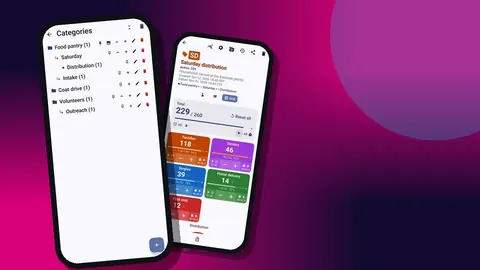
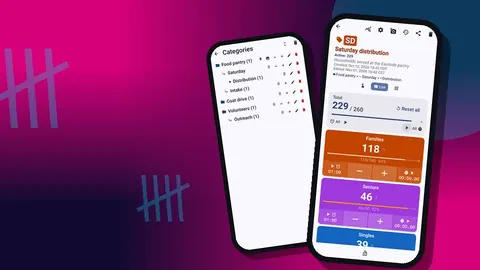
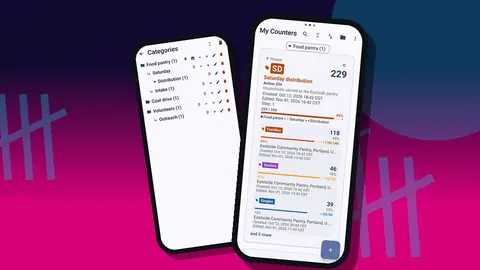
Maria spent one evening building the structure. She made a top-level category per program — Community meal, Homework club, Coat drive — plus one for Volunteers. Categories nest three levels, so she added a year level under each program to keep 2026 separate from whatever came next.
Inside Community meal she created one counter per meal night, named by date. Inside Homework club, one counter per term. Volunteers held a single counter for hours, with a tag per program.
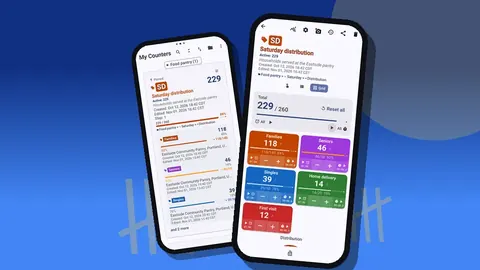
She pinned Community meal, because it was the counter opened every week, and gave every program a color that matched the folders in the office. That small detail turned out to matter: volunteers already knew green meant the meal.
The tags that mattered
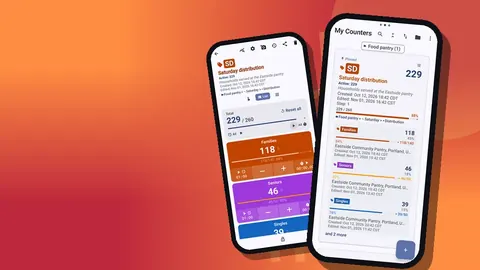
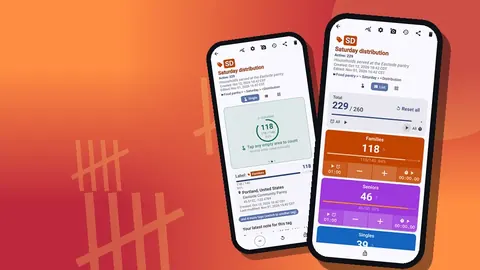
Each meal-night counter had the same five tags: Families, Seniors, Singles, Take-home meals and First visit. Keeping the tags identical across nights was deliberate; it meant every export would line up column for column.
In each tag's notes she wrote the counting rule in one line. "Tap once per household, not per person." "First visit: tap in addition to the household tag." The notes show on the counting screen, so the rule travels with the phone rather than living in someone's memory.
For the homework club she set a target on the Sessions tag equal to the number of sessions promised in the grant. The progress bar became her quiet reminder of where the term stood.
The routine
On meal nights, a volunteer at the door held the shared phone with the night's counter open in grid view. Each household got one tap on the matching colored tile; a new face got an extra tap on First visit. Count sounds confirmed taps without the volunteer staring at the screen.
When the volunteer stepped away, they locked the counter so nothing could be added by accident. At the end of the night, the shift lead opened the Volunteers counter and tapped hours for each person who had helped, with the step set so one tap meant one hour.
The whole routine took less time than finding the right binder used to.
How do you fix counting mistakes without blame?
Mistakes happened, of course. A volunteer tapped Seniors three times for one couple; another forgot First visit for a whole table. Maria's approach was to fix them in the open. The history lists every tap with its exact time, the value before and after, and the tag, and the −step button takes a count back off. The correction itself appears in the history too.
She asked shift leads to add a short note to any correction: "double tap, removed". When a funder later asked how the figures were collected, she could show not only the totals but the trail behind them.
The first quarter
After three months, Maria opened the dashboard for a few meal-night counters and the Volunteers counter. The dashboard shows total against target, increments versus decrements, a seven-day activity bar chart and a pie chart by tag.
Two things stood out in this example. First, the decrement count was high in the first two weeks and then dropped, which told her the routine had settled. Second, the pie chart showed First visit making up a larger share on nights after the local school newsletter mentioned the meal. That gave her a concrete reason to keep the newsletter partnership going.
She could also answer the question from the site visit. Exporting each meal night's Summary and sorting by total showed exactly which nights fell below thirty, and the notes explained most of them: a snowstorm, a clash with a school concert.
Report season
When the grant report came due, Maria exported each counter to Excel with the Summary and Events sections. Summary gave her totals per tag. Events gave a timestamped row for every count, so she could cut the data to the funder's exact grant period, which did not match her calendar.
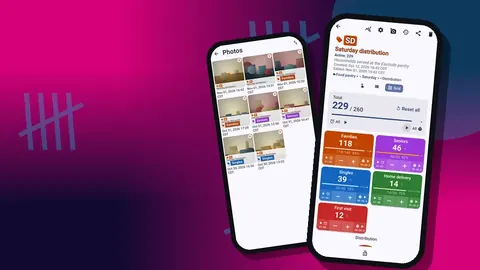
She pasted the totals into her report template and kept the export files in a folder per quarter. For the board, she used the HTML report instead, which reads like a document and can include photos; she added two of the meal hall set up for service.
What used to take an anxious weekend now took an afternoon, and she could explain every figure.
Handing the setup to a colleague
Midway through the year, a new coordinator joined to run the homework club. There is no live sync between phones, so Maria made a backup ZIP containing just the Homework club category and its counters. On the new phone, the import showed a preview of what the file contained, and since nothing existed there yet, everything came across cleanly. Had there been overlaps, the import offers replace, copy or skip.
Maria kept making a monthly backup of everything on her own phone too. With no Counter App cloud holding a second copy, that ZIP was the difference between a lost phone being an inconvenience and a disaster.
What changed
In this illustrative example, the biggest change was not speed. It was confidence. Maria stopped rounding. Volunteers liked seeing a running number at the door. The board got a clear slide each quarter. And the program officer's awkward question became an easy one.
If you want to try the same setup
- Build categories per program, with a year level underneath.
- Use identical tags across repeated events so exports line up.
- Put the counting rule in each tag's notes.
- Give the door volunteer the phone in grid view and ask them to lock it when they step away.
- Export Summary and Events monthly, and back up with a ZIP.
What would the director do differently next time?
Looking back over the illustrative year, Maria would change three things if she started again.
She would agree the tag names with the whole team before the first meal night. Two weeks in, someone renamed "Take-home meals" to "Takeaway" on one counter, and that night's export no longer lined up with the others. It took ten minutes to fix, but it was avoidable. A printed list of agreed tag names, taped inside the office cupboard, solved it for the rest of the year.
She would set up the backup habit from day one rather than after the first scare. Counter App keeps no cloud copy, and the moment a shared phone slipped behind a radiator for an afternoon, everyone suddenly cared about backups. A monthly reminder in the staff calendar, tied to the export, is enough.
She would also start smaller. Tracking the meal, the homework club and volunteer hours all at once in the first week meant three new habits for the same people. Starting with the meal night alone, and adding the others once the door routine felt normal, would have made the first month calmer.
None of these are problems with the tool. They are the ordinary friction of changing how a team works, and they are worth planning for.
Related reading
Maria is fictional, but the binder problem is not. If your organization's numbers live in three places and get assembled under deadline, moving the count to the moment of service is the change most likely to help. The setup above uses Counter App — Tally & Clicker by GiveMeMood on ordinary Android 12+ phones. Get the app at counterapp.online.
Frequently asked questions
Is the program director in this article a real person?
No. Maria is a composite, hypothetical character used to walk through a realistic setup. The numbers are illustrative; the app features described are real.
Can several charity staff members track one program together?
Staff can share the work, but every staff phone holds its own counters and nothing syncs live. Combine CSV or Excel exports in a spreadsheet, or carry counters across with a backup ZIP.
Can a community meal be counted in a basement with no signal?
Yes. Counting a meal night needs no connection; the app goes online only for optional notifications, update checks and map tiles.
Does a small charity face a recurring cost for Counter App?
Not necessarily. Counter App — Tally & Clicker is free to download with no ads; try it free for 3 days, then choose a yearly or monthly plan or a one-time lifetime purchase; the lifetime option leaves no recurring line to defend in the budget.
Can a program director recover a meal-night counter deleted by mistake?
Yes. A deleted counter moves to the trash first, and the director can restore it from there.
How long did the illustrative program director spend setting up Counter App?
In the hypothetical story, Maria built the categories, counters and tags in one evening before the first meal night.