Counter App

How a Production Manager Fixed Shift Counting
Key takeaways
In this hypothetical scenario, a production manager replaces whiteboard tally marks with Counter App — Tally & Clicker on one phone per line. A single counting point, variant tags with shift targets, volume-button counting for busy hands and timestamped history turn shift-change arguments into data, and exports become the official shift record.
- The production manager story about Dana is a hypothetical composite; the plant and people are invented, while the Counter App features are real.
- One written counting rule, tap only when a unit passes final check, removed most disputes in the illustrative plant.
- Counter App — Tally & Clicker history shows every tap with its exact time, which lets a manager settle a shift-total argument with data.
- Two rules from the scenario carry over to any line: lock before leaving and export before resetting.
This is a hypothetical scenario. The plant, the people and the timeline are invented to illustrate a common situation. The app features described are real.
Every plant has a moment in the day when trust in the numbers is tested. In this one, it happened at 14:00, at the end of Line 2, in front of a whiteboard covered in tally marks.
The whiteboard at two o'clock
Imagine a mid-sized assembly plant with three lines running two shifts. The production manager, whom we will call Dana, walks to Line 2 at handover most days, because that is where the arguments start.
The morning lead says the shift built 310 units. The afternoon lead looks at the board, remembers a forty-minute stop around ten, and does not believe it. The marks were made by three people, two of them already in the car park. Nobody is lying, and nobody can prove anything. Dana picks a number that sounds reasonable and moves on.
That number goes into the daily report, the daily report feeds planning, and planning decides overtime. A guess negotiated at shift change ends up shaping next week's staffing. Dana does not need a sophisticated system to fix that. She needs a record that both leads accept.
Why did texts, tablets and paper forms fail?
Before the phones, Dana had already tried the obvious ideas, and each one failed for a reason worth remembering.
Hourly text messages from team leads worked for about a week. On a calm shift they arrived on time; on a busy shift they stopped, which meant the data disappeared exactly when it mattered most.
A shared spreadsheet on a tablet at each line looked modern. In practice people typed numbers in at break time from memory, so it was the whiteboard with a keyboard.
Stricter paper forms with a box per hour were filled in carefully until the first jam, after which the boxes stayed empty.
The lesson Dana drew was blunt: during a shift, anything that takes longer than a single tap will be skipped on a bad day. The tool had to be faster than the old tally mark.
Week zero: building the counters
Dana installed Counter App and set it up on one phone per line, kept in a holder at the counting point. Setup took an afternoon.
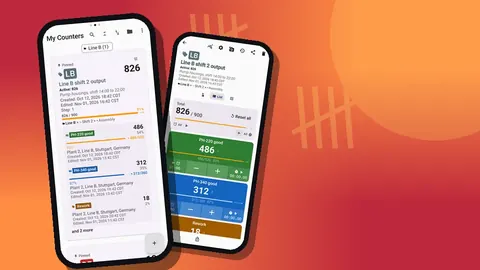
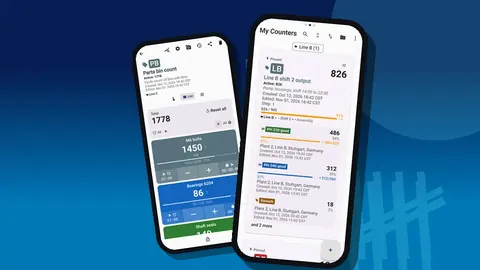
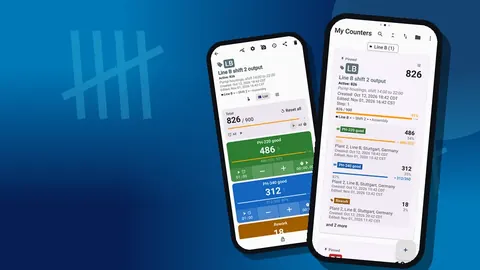
She created a category for each line and gave each the color painted on that line's floor markings. Under each line she created one counter per shift, named "Line 2 AM" and "Line 2 PM" with a dated description. Pinning kept the three current counters at the top of the list.
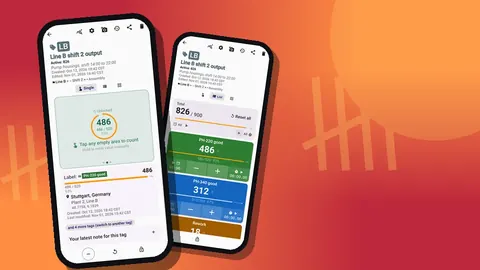
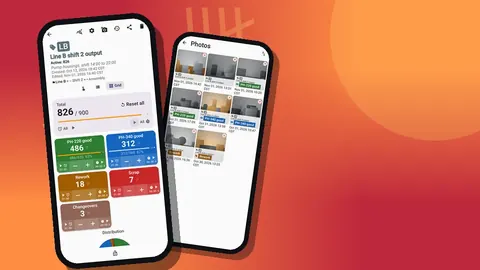
Inside each counter she added tags: one per product variant, plus Rework, Scrap and Changeovers. Each variant tag received a target equal to the planned quantity for the shift, with a vibration alert when reached. For the variant packed in trays of ten, the step was set to ten, so a tap counted a full tray.
The counting rule
The most important part of the setup was not a setting. Dana wrote one sentence into each counter's description: tap when the unit passes final check, nowhere else. Looking back at the old disputes, most came from people counting at different points: one at the press, one at packing, one at the pallet.
She also wrote down the correction rule: if you tapped by mistake, tap minus straight away. Do not save corrections for later.
The line where hands were full
On Line 3 operators handled parts with both hands, and touching the screen meant putting a part down. Dana enabled volume-button counting, which is off by default. With it on, the side keys count a step even when the screen is locked, through a foreground service. She mapped volume up to plus and volume down to minus and gave them different sounds, so nobody confused the two by ear. On one older phone the system volume bar still appeared during counting; it was cosmetic and the leads ignored it.
Week one: friction
The first week was untidy, as any change on a production floor is.
During the first rush on Monday, two leads forgot to tap for about twenty minutes. Dana did not make an issue of it. She asked them to add a note to the next count event with a rough number of missed units. The note made the gap visible without turning it into blame, and missed taps dropped as the habit settled.
One lead complained that five tags made the screen look busy. Switching the tag display to collapsed except most recent kept the last-used variant open and folded the rest.
A test counter was reset by accident on Wednesday. From then on, everyone locked the counter when stepping away, and Dana made one firm rule: no reset before an export. Locking took one tap on the counting screen and became part of every break.
Week two: the first argument settled by data
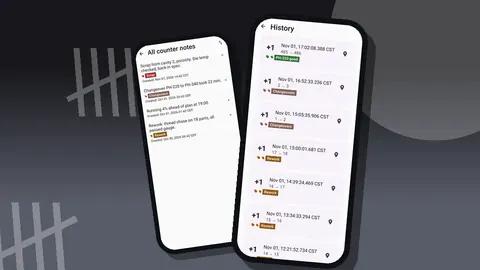
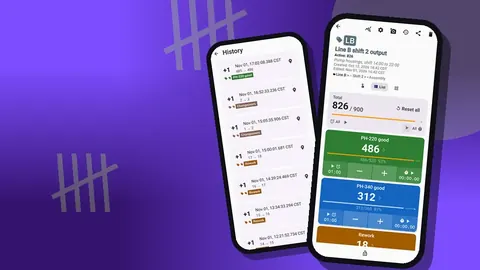
The incident below is illustrative, invented to show how the history log settles this kind of dispute; the times and the note are examples, not records from a real plant. Picture the second Tuesday: the afternoon lead again doubts the morning total. This time Dana opens the counter's history on the phone. Every tap is there with its exact time and before and after values. In this example, counts run steadily until 10:18, stop, and resume at 10:59, with a note from the morning lead: "feeder jam, maintenance called".
The total was right. More usefully, the conversation changed from "who is right" to "why did the feeder jam at 10:18". That second question is one a production manager can actually do something about.
Week four: the morning meeting changes
By the end of the first month, Dana stopped bringing a printout to the morning meeting and brought the dashboard instead. For each line, it showed the total against target, increments versus decrements, an activity bar chart and a pie chart by tag.
The pie chart made rework visible in a way the old reports never had: on one line, rework was a noticeably larger slice than on the others, which led to a look at a worn fixture. The activity chart made stops obvious as flat stretches. Nobody had to explain a low total; the chart did.
The share of decrements also turned into a quiet quality signal. A shift with many minus taps usually had a confused new operator, and a short refresher fixed it.
What the reports looked like
At the end of each shift, the outgoing lead exported the counter. CSV with the Summary and Notes sections went to Dana, who pasted the rows into one weekly sheet. When something unusual happened, such as damaged parts from a supplier, the lead also shared an HTML page with photos embedded, taken straight from the relevant tag and marked up in the photo editor.
The outgoing lead then locked the counter and the incoming lead opened their own. The locked counter stayed in the list with its final values and full history until the weekly archive.
Because data stays on each phone, with no account and no cloud, the exports were the official record. Dana liked that: the shift report was a file she could keep, not a login she had to remember.
Moving to new phones
Six months in, two of the station phones were replaced. Dana made a backup ZIP from each old phone, choosing the line's category and its counters and including photos. On the new phone, the import preview listed what the backup contained and offered to replace, copy or skip duplicates. She chose replace, checked the counts against the last export, and the line was back in business before the shift started.
There is no live sync between phones, so Dana never tried to make one phone mirror another. Each line owned its counter; the exports brought them together.
One detail made the switch less stressful than expected: the import preview. When a supervisor's new phone already held a test counter with the same name, the preview let her skip that duplicate instead of overwriting the real shift data. Nobody had to retype a single count, and the morning meeting ran on schedule.
What can any production manager learn from this?
Strip away the story and a few principles remain:
- Agree on one counting point before choosing any tool.
- Make counting faster than the old method, or it will be skipped when it matters.
- Treat missed counts as information. A note saying "missed about 15" beats a silent gap.
- Lock before leaving, export before resetting.
- Use the timestamped history to settle disputes, then ask the better question it raises.
- Review trends weekly, not single shifts daily.
If Dana were starting again, she says in this imagined retelling, she would change one thing: run the new counters alongside the whiteboard for the first two days instead of switching overnight. Comparing both records would have caught the missed taps sooner and given sceptical leads a reason to trust the phone. She would also invite the most doubtful lead to help design the tag list, since people defend the systems they built.
None of this needed a project budget or an IT ticket. It needed a phone at each line, a rule written into a description field and a manager willing to sit through two awkward weeks.
GiveMeMood sells Counter App — Tally & Clicker for Android 12+ and is free to download with no ads; try it free for 3 days, then choose a yearly or monthly plan or a one-time lifetime purchase. Get the app at counterapp.online.
Frequently asked questions
Is the production manager Dana a real Counter App customer?
No. Dana and her plant are a hypothetical composite written to show a realistic rollout; only the app features described are real.
Can a finished shift count be protected from changes?
Yes. Locking a counter blocks accidental taps, and a target can auto-lock a tag when it is reached.
Does every team lead need their own phone?
Counting happens on the phone running the app. A shared phone per line station works, as do personal phones with exports sent to the manager.
Can the manager see all lines live on one phone?
No. There is no live sync between phones. Each station exports its counter, or counters are moved with a backup ZIP.
Does a plant pay a subscription per line phone?
Not necessarily. Counter App — Tally & Clicker is free to download with no ads; try it free for 3 days, then choose a yearly or monthly plan or a one-time lifetime purchase through Google Play.
How long did the counter setup take in the production manager scenario?
In the hypothetical plant, setting up one phone per line with categories, shift counters and variant tags took an afternoon.
What should a lead do after missing taps during a rush?
Add a note to the next count event with a rough number of missed units. The gap becomes visible without blame, and the total can be adjusted openly.