Counter App

How a Counted List Could Save a Family Trip
Key takeaways
A counted documents list can save a family trip by showing a quantity, not a tick. In this invented scenario, a Counter App — Tally & Clicker counter with one tag per document type and a target of four per tag stops at three passports, so the missing one is found the night before rather than at the check-in desk.
- In this illustrative family trip scenario, a Documents counter with a target of four per tag catches a missing passport the night before departure.
- A counted documents list in Counter App — Tally & Clicker sets each document tag's target to the number of travellers who need it.
- A count of 3 of 4 passports cannot be mistaken for done, whereas a ticked Passports line can be checked as soon as the first passport is found.
- Resetting the documents counter and recounting before the return flight catches passports or cards left in hotel safes.
This is a story, but not a true one. It is an illustrative scenario about a family of four heading to Japan, written to show how a simple counting habit catches the kind of mistake that ruins a trip before it starts. The family is invented; every app feature in it is real and works the way it is described. At the end you will find the routine, step by step, so you can build it yourself.
The scenario
Picture the Moreno family: two parents, a twelve-year-old and an eight-year-old. They have planned a two-week trip to Japan for a year. The flight leaves at 7:10 in the morning, so the taxi is booked for 4:30.
The night before, one parent opens a counter on the phone called "Documents" and walks through it. It has four tags: Passports, Boarding passes, Insurance cards and Rail passes, each with a target of 4. As each item goes into the travel wallet, she taps plus. Boarding passes reach 4 and the phone gives a short buzz. Insurance cards reach 4. Rail passes reach 4.
Passports stop at 3.
She checks the wallet again. Three passports. The eight-year-old's passport, renewed a month earlier, is not there. It turns up twenty minutes later in a drawer, still in the envelope it arrived in. Nobody had moved it into the travel folder, because everyone assumed someone else had.
In a version of this evening with a ticked checklist, "Passports" would probably have been ticked when the first three were found. The morning taxi would have arrived, and the problem would have surfaced at the check-in desk.
Why do ticks fail where counts work?
A tick confirms a category. A count confirms a quantity. When several people share a trip, many items come in multiples: one passport per traveller, one boarding pass per seat, one rail pass per person. A tick on "Passports" is true as soon as one is packed. A count that reads 3 of 4 cannot be mistaken for done.
Counts also fit how tired people check things late at night. You do not need to remember who has what. You tap as each item goes into the wallet, and the number either reaches its target or it does not. The target alert, a sound or vibration, closes the loop without asking you to read anything.
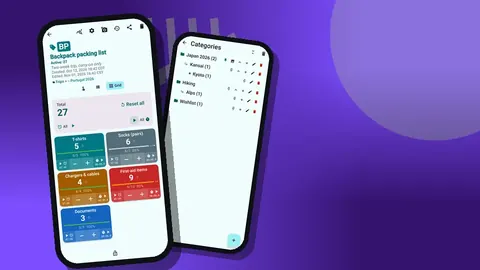
The colored tiles in Grid view make this especially clear. A tile below 100 percent stands out next to the finished ones, which is much harder to overlook than an unticked box in a long list.
How do you build the same documents routine?
You can set up the same documents check in about ten minutes.
- Create a counter called "Documents" with a short code like DOC, a color and a description with the trip dates.
- Add a tag per document type. Passports, visas if needed, boarding passes, insurance cards, driving licences, rail or bus passes, booking confirmations.
- Set each target to the number of travellers who need that document. For a family of four, passports are 4; driving licences might be 1 or 2.
- Turn on the alert so the phone sounds or vibrates when a target is reached.
- Count into the wallet, not onto the table. An item counts only when it is in the place it will travel.
- Lock the counter when every tag reaches its target, or enable auto-lock on reaching the target. A locked counter ignores taps until you unlock it.
Use the same counter for the return trip: reset it the night before flying home and count again. Hotel safes and bedside tables are where documents get left.
Photos as a safety net
Each tag can hold up to six photos and its own notes. Some families photograph the information page of each passport and store the images on the Passports tag. The photo editor offers a brush, text, six colors, four fonts and rotation, so you can label each image with the traveller's name. Keep in mind that the data is stored on the phone, with no account and no Counter App cloud, so think about what you store and keep a backup.
On the trip: a log instead of a list
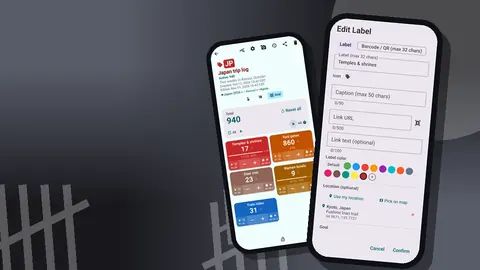
Once the Morenos land, the documents counter stays locked, and a second counter takes over: "Japan trip log". This one is not a checklist; it is a light-hearted record of the trip. Its tags are Temples & shrines, Torii gates, Deer met, Ramen bowls and Train rides, and the children take turns tapping.
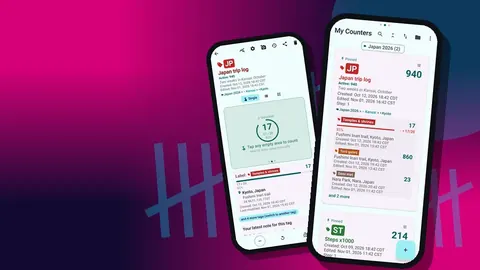
The Single view shows one tag as a big circular counter with target progress, the tag card with its location and the latest note. Temples & shrines gets a target of 20 for the fortnight, which turns the trip into a gentle game. The tag's location is set to Fushimi Inari in Kyoto, and other tags carry places in Nara and Osaka. Locations can come from GPS, a point on a map, or a typed country, city and place; typing works offline.
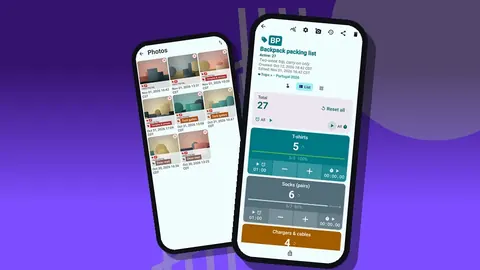
Notes go on events: "Deer bowed back", "best ramen so far, Osaka". Photos, up to six per tag, catch the moments the children want to remember.
A note about hands and trains
On crowded platforms, tapping a screen is awkward. Volume-button counting, switched on in settings (it is off by default), lets the keys count even with the phone locked, through a foreground service. The keys can be remapped, with their own sound and vibration, and some devices may still show the system volume bar.
Reading the trip back
Every tap goes into the history with its exact time, the step, the before and after values, the tag label, and icons for notes, photos and locations. On the flight home, scrolling through the history becomes a timeline of the trip: the first torii gate, the first deer, the long train day between cities.
The All Notes screen gathers every note with tag labels and times, and the all-photos gallery shows every picture with its tag and date. Together they make a small, private travel journal that took no effort to keep.
The dashboard at home
The dashboard shows the overview against target, increments versus decrements, an activity bar chart for the last seven days and a pie chart by tag. For a trip log, the pie chart answers the children's favourite question: what did we count most? The bar chart shows which days were the busiest.
If the family wants to keep a record, they can export the counter as CSV or Excel, or share it as an HTML page with embedded photos for grandparents.
Keeping it safe
Phones get lost on trips. Before leaving, and again on the way home, make a backup ZIP. It can include photos, with optional compression, and you choose which counters and categories go in. Copy it to a computer. If the phone is replaced, the import preview shows what the backup contains and lets you replace, copy or skip duplicates. There is no live sync between phones, so the ZIP is the way to move the documents counter and trip log to a second device.
Who should count the documents, and when?
In a family, the person who counts matters less than the moment. The Morenos' rule, in this imagined version, is simple: documents are counted by one adult the night before, and again by the other adult at the door. Two counts by two people catch the cases where one person's memory fills a gap the phone would have shown. For the second check, reset the counter and start from zero, rather than looking at the existing numbers, so the count is a real recount and not a glance at a finished screen.
The children have a job too. Each one counts their own bag on a separate counter before handing it over, which makes them part of the routine instead of passengers in it.
Variations for other trips
The same pattern adapts easily. A couple travelling light might keep a single counter with passports, cards and phone chargers. A school group leader might create one counter per document type with a target equal to the group size, and count each pupil's passport as it is handed over at the airport. A business traveller might add tags for a laptop charger, presentation adapter and badge, because those are the items that are painful to replace at a conference.
Whatever the variation, keep one rule: the target is the number of things that must travel, and the trip does not start until every tag reaches it.
What the scenario teaches
The Morenos' near miss is invented, but the shape of it is familiar to anyone who has packed for a group. Four lessons carry over to any trip:
- Count anything that comes in multiples.
- Count into the place where the item will travel.
- Let a target alert tell you when a line is done.
- Lock finished lists and recount before every departure, including the return.
Counter App runs on Android 12 and later and is free to download with no ads; try it free for 3 days, then choose a yearly or monthly plan or a one-time lifetime purchase. To extend the idea beyond documents, see the counted packing list or the road trip checklist. Get the app at counterapp.online.
Frequently asked questions
Is this family trip story real?
No. It is an illustrative scenario built to show the method. The app features it describes are real; the family and events are invented.
How do I build a documents counter like the one in the story?
Create a counter for travel documents and add one tag per document type, with a target equal to the number of travellers. A sound or vibration then marks each document type as complete.
Can I store copies of travel documents in the app?
Yes. A document tag holds up to six photos and its own notes. The data is stored on the phone with no account and no Counter App cloud, so think about what you store and keep a backup ZIP somewhere safe.
Can I keep a trip log once we arrive?
Yes. A separate counter with tags for things you want to count, such as temples visited or train rides, logs every tap with its time in the history, and tags can carry locations and photos.
Does the documents counter need internet while travelling?
No. Counting documents and a trip log works without a connection; the internet is only used for optional notifications, update checks and map tiles.
Why should two adults count travel documents separately?
A second count by a different person, started from zero after a reset, catches cases where one person's memory fills a gap that the phone would have shown.
Can a school group leader use a documents counter?
Yes. One tag per document type with a target equal to the group size lets a leader count each pupil's passport as it is handed over at the airport.