Counter App

A Packing List That Counts: Travel Prep on Android
Key takeaways
A packing list that counts gives every item a target quantity and tallies items as they go into the bag. In Counter App — Tally & Clicker, each trip type or bag is a counter, each item is a tag with a target, and the same list is reset, recounted at each checkout and tuned after every trip.
- A counted packing list in Counter App — Tally & Clicker gives every item a target quantity, so a line reads Socks 3 of 5 instead of a single tick.
- Packing lists can be organized as one counter per trip type or one counter per bag, grouped in categories up to three levels deep.
- Repacking at every hotel checkout with the same counted list, and reading the history, shows when a charger or shirt went missing.
- Packing targets are tuned after each trip from the dashboard and history, then the counter is reset with its tags kept for the next departure.
Every packing list ever written has the same blind spot. It says "socks", and you tick it, and three days into the trip you realise you packed two pairs instead of five. Lists are good at reminding you what to bring. They are bad at telling you how many. For travel, quantity is half the problem: underwear, socks, chargers, medication doses, snack bars, adapters.
A counted packing list adds the missing half. Each item has a target quantity, you tally as items go into the bag, and the list tells you when each line is complete. This guide shows how to build and run one with Counter App on Android, and how to reuse it trip after trip.
Why does quantity matter in a packing list?
Think about the items that cause real trouble when they run short. Clothing for the number of days between laundry stops. Daily medication for the trip length plus a buffer. Charging cables for every device that needs one. Documents for every traveller in the group. In each case, the question is not "did I pack it?" but "did I pack enough?"
A tick cannot answer that. A count can. When the line reads "Socks: 3 / 5", the gap is obvious, and so is the fix.
Counting also helps the other way. If the line reads "T-shirts: 7 / 4", you are overpacking, and a counted list makes that visible before you carry the extra weight.
Building the list: one counter per bag or per trip type
There are two sensible structures.
One counter per trip type. "Weekend city break", "Two-week beach trip", "Business trip", "Winter hiking". Each counter carries the items that trip type needs, with quantities tuned for it. This is the reusable approach: you keep the lists and reset them before each trip.
One counter per bag. For a single big trip with several bags, "Backpack", "Carry-on", "Checked bag" and "Kids' bag" each become counters. This is useful for families or for trips where some bags are left at a base.
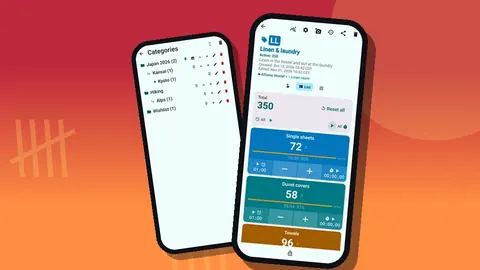
Either way, put the counters in a category such as "Packing lists", with sub-categories by trip type or family member. Categories nest up to three levels, accept custom colors and can be pinned and reordered. Pin the list you use most.
Targets per item
Inside each counter, add tags for item types and give each a target:
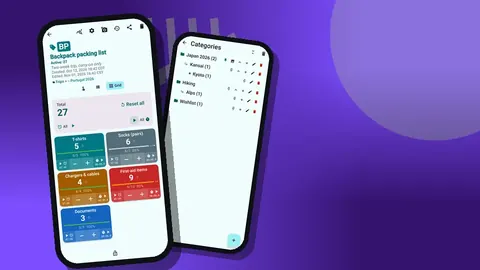
- T-shirts: 4
- Socks: 5
- Chargers: 3
- First-aid items: 10
- Documents: 3
Make targets formula-based in your head rather than fixed forever. For clothing, "days until laundry plus one" is a common rule; adjust the target per trip. For documents, the target is the number of travellers times the documents each needs.
Colors help. Use one color for clothing, one for electronics, one for health and one for documents so the counting screen reads in blocks. A step larger than 1 is useful for bulk items; if you pack snack bars in fives, set the step to 5 on that tag.
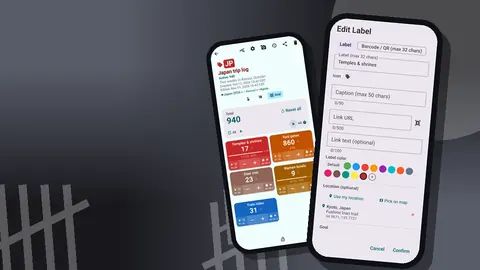
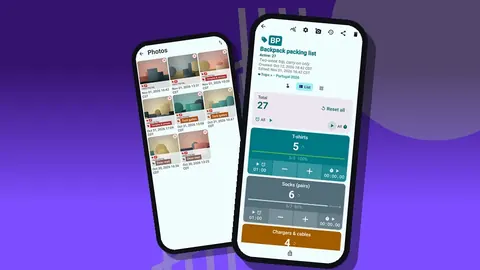
Each tag can also hold notes and up to six photos. A photo of what "first-aid items: 10" actually contains takes the guesswork out of repacking it.
Running a packing session
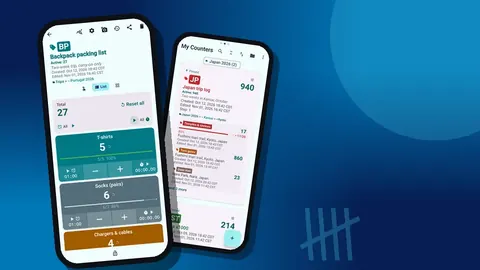
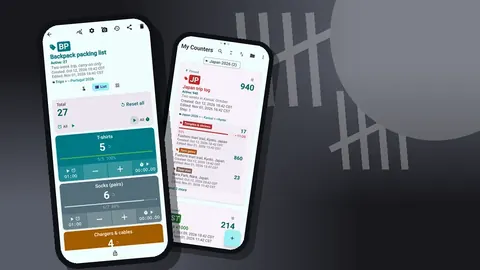
Lay the items out. Open the counter. Choose a view: List view shows a row per tag with minus and plus buttons, the value and target progress, while Grid view shows each tag as a colored tile with value and target percentage. Some people prefer List for long lists and Grid for short ones.
Then pack and tap. Each item goes into the bag, plus goes on its tag. When a tag hits its target, the app can play a sound or vibrate, so you hear that socks are done and move on. Lines below target stay visibly unfinished.
The tag display can be expanded, collapsed, or collapsed except the most recent, which keeps a long list tidy as you work through it.
Packing hands-free
Folding clothes and tapping a phone at the same time is clumsy. It starts disabled, so enable volume-button counting in settings first. The volume keys then count, and they keep working with the screen locked through a foreground service. Remap the keys if you like and give each its own sound and vibration. The system volume bar can still show up on a few devices. A notification on the lock screen also has minus, plus and stop.
When the list is done
Once every tag shows its target, lock the counter. A locked counter ignores taps, so the finished list cannot be changed by accident while the phone travels in your pocket. If you prefer, enable auto-lock on reaching the target, and the counter locks itself.
How do you repack without leaving things behind?
The packing list is not finished when you leave home. Every hotel checkout is a repack, and repacks are where things get left behind: a charger in a wall socket, a shirt on a bathroom hook.
Use the list again at each checkout. Reset it and recount into the bag, or count down as items come out on arrival and up as they go back in. The history logs every change with the exact time, step, before and after values and the tag. If a charger count drops on arrival and never comes back up, the timestamp tells you which room to call.
Notes on events help too: "left one t-shirt to dry at hostel" explains a gap you would otherwise puzzle over.
After the trip: how do you tune the targets?
When you get home, unpack against the list. Then look at the dashboard: overview against target, increments versus decrements, a seven-day activity chart and a pie by tag. Items that never moved during repacks were probably never used. Items that ran short deserve a higher target.
Adjust targets now, while the memory is fresh, and reset the counter. Next time you pack for the same trip type, the list already reflects what you learned. Over a few trips the targets settle into numbers that suit how you actually travel.
If you want a record, export: CSV or Excel with Summary, Events, Notes and Locations as options, or an HTML report with embedded photos. A shared HTML page is a simple way to send a family packing list to someone else.
Family and group packing
For families, one counter per person is usually clearer than one shared list. Each child's bag gets its own counter under a "Family" category. Older children can pack their own bag on a parent's phone, tapping plus as they go, and the parent checks for gaps before leaving.
There is no live sync between phones, so if two adults each want the list on their own phone, use a backup ZIP. Before an import finishes, a preview shows the contents and asks whether to replace, copy or skip duplicates.
Keeping lists safe
Packing lists take effort to tune, so protect them. Counters that get deleted on the road land in the trash, where they can be restored. Categories have their own trash as well. Lists are stored on the phone, with no account and no Counter App cloud, which also means it is worth making a backup ZIP after you have tuned your lists. Backups can include photos, with optional compression, and you choose which counters and categories to include.
Packing for weather and activities
Some items depend on the trip itself, not its length. Rather than one giant list, add a small set of optional tags that you switch on by giving them a target: rain shell, swimwear, hiking socks, formal outfit, travel adapter. On a trip where a tag does not apply, set its target to zero and it stays out of the way. Collapsed tag display, or collapsed except the most recent, keeps those idle rows compact so the screen shows what matters for this departure.
Starter targets by trip length
These are starting points to adjust, not rules. They assume access to laundry roughly once a week.
| Item | Weekend | One week | Two weeks |
|---|---|---|---|
| T-shirts | 2 | 4 | 5 |
| Socks (pairs) | 3 | 5 | 6 |
| Chargers | 2 | 3 | 3 |
| Documents | per traveller | per traveller | per traveller |
Enter the numbers as targets, run one trip, then tune them from the dashboard and history. After two or three trips, your own targets will be far better than any table.
A hypothetical trip type
Illustrative only. Suppose a "Two-week beach trip" counter starts with T-shirts at 8, socks at 6, chargers at 2 and swimwear at 2. After the first trip, the dashboard and history show socks barely touched and a charger shortage on day three. The traveller drops socks to 3, raises chargers to 3 and adds a tag for "beach bag items". On the second trip, the list matches use much more closely, and the bag is lighter.
In short
Quantities on every line, a tally as you pack, a lock when done, a recount at every checkout, and target tuning after each trip. Any phone on Android 12 or later can run it; it is free to download with no ads; try it free for 3 days, then choose a yearly or monthly plan or a one-time lifetime purchase. Driving instead? Try the road trip checklist. Get the app at counterapp.online.
Frequently asked questions
How is a counted packing list better than a checklist?
Each item has a target quantity, so you see 3 of 5 socks instead of a single tick. When a packing tag reaches its target, the phone can play a sound or buzz.
Can I keep different lists for different trip types?
Yes. Create one counter per bag or trip type, such as weekend city break or two-week beach trip, and organize them in categories up to three levels deep.
Can I reuse a list?
Reset the whole counter or one tag, and the targets stay in place for the next trip.
Can I pack with the phone in my pocket?
Turn on volume-button counting in settings. It is off by default, works on the lock screen through a foreground service, and the keys can be remapped with their own sound and vibration.
Can I see the whole packing list on one screen?
Yes. List view shows each packing item as a row with minus and plus buttons and target progress, while Grid view shows the same items as colored tiles.
How do families use a counted packing list?
One counter per person under a Family category is usually clearest. Children can tap plus as they pack their own bag, and a parent checks the counter for gaps before leaving.
Can optional items like swimwear stay on the list without getting in the way?
Yes. Give an optional tag a target of zero on trips where it does not apply, and use collapsed tag display to keep idle rows compact.