Counter App

Adventure Photography Gear Counter: Pack and Check Kit
Key takeaways
An adventure photography gear counter keeps camera and outdoor kit complete by counting quantities instead of ticking boxes. In Counter App — Tally & Clicker, a photographer makes separate counters for camera and field kit, sets targets per item, stores serials and photos on tags, recounts after each shoot and exports a picture-backed record.
- An adventure photography gear counter in Counter App — Tally & Clicker keeps the camera kit and the field kit as two separate counters under one trip category.
- Target quantities on each kit tag, such as six batteries or eight memory cards, turn a photographer's packing list into a numeric check.
- Serial numbers of lenses and bodies can be stored on a tag as a typed or scanned code, plus up to six photos per tag.
- A recount of the camera kit after every shooting location, not only before departure, is the check that catches a lens or card left behind.
Adventure photographers carry two kits that compete for the same pack. One makes pictures: bodies, lenses, filters, batteries, cards and perhaps a drone. The other keeps you alive and working outdoors: shelter, layers, stove, water treatment, navigation. When space is tight, the temptation is to treat them as one heap and trust your memory. That works until the morning you reach a viewpoint at dawn and discover the spare battery is still charging in a guesthouse two valleys back.
This guide sets out a counting routine that keeps both kits complete before departure, during a multi-day trip and after every shoot. It uses Counter App on an Android phone you are already carrying, and it relies on quantities rather than ticks, because "batteries: 5 of 6" says far more than a checked box.
Two kits, two counters
Keep the domains separate. Create one counter called Camera kit and another called Field kit. Put both in a category such as "Expedition", and if you run different setups, add sub-categories: "Day trips" and "Multi-day" under "Expedition", for instance. Categories go three levels deep, which is plenty for most photographers.
Separating the kits pays off at the end of a shoot. You want to confirm that every card and lens is back in its pouch without scrolling past the sleeping bag and the fuel canister. Likewise, when you break camp, the camera list is irrelevant and only the field list matters.
Pin whichever counter you open most often. On a trip that is usually the camera kit, because it gets checked several times a day while the tent gets packed once.
Tags that match how you pack
Inside Camera kit, add one tag per item type and give it a target quantity:
- Camera bodies: 2
- Lenses: 3
- Batteries: 6
- Memory cards: 8
- Filters: 4
- Cleaning kit: 1
- Remote release: 1
Inside Field kit, do the same for shelter, sleep system, stove, fuel, headlamp, water filter, first-aid pouch and map or power bank. Use one color for camera tags and another for outdoor tags so the two groups never blur on the counting screen.
Targets turn a list into a check. When a tag reaches its target, the app can play a sound or vibrate, so you hear that the batteries are complete rather than reading every row. If you prefer silence in a quiet hut, leave the alert off and rely on the progress bars.
How do you identify expensive camera items?
A count says you have three lenses. It does not say which three. For anything that would be painful to replace, store identifying detail on the tag itself.
Codes for serial-numbered items
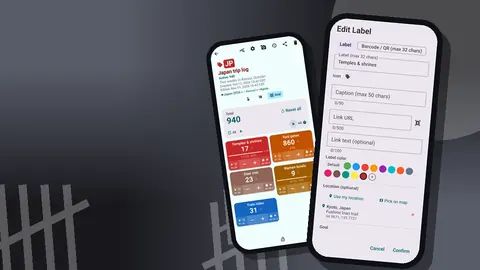
Every tag can hold a barcode or QR code, either scanned with the camera or typed in manually. Some photographers stick their own small asset labels on lens caps and battery doors; others simply enter the manufacturer's serial. Typing is often the practical choice in the field, because a serial plate on a scuffed body may refuse to scan, and the manual entry screen accepts the code as text.
If you split identical items into separate tags (for example "Battery A" through "Battery F"), each one can carry its own code. That is more setup, but it lets you notice which battery keeps coming back half-charged.
Photos that carry the details
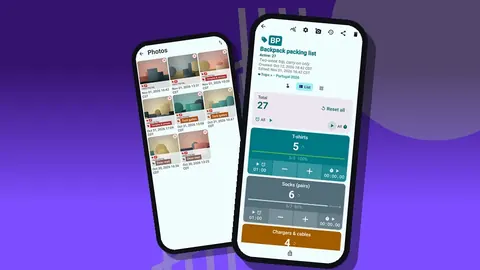
Each tag holds up to six photos. Photograph the item, its serial plate and any existing scratches. The built-in photo editor offers a brush, text, six colors, four fonts and rotation, so you can circle a dent or write the serial in large letters across the image. Notes on the tag can hold purchase details, and the link field can point to a manual or a rental agreement.
The all-photos gallery then becomes a visual record of the kit, organized by tag and date. Should anything be lost, stolen or damaged, you have pictures and descriptions ready instead of reconstructing them from memory.
The pre-departure count
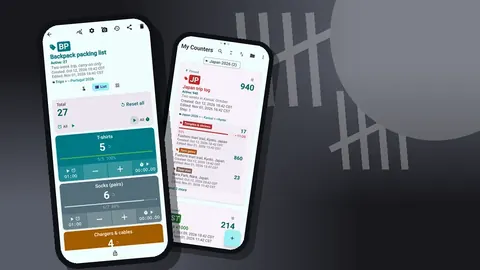
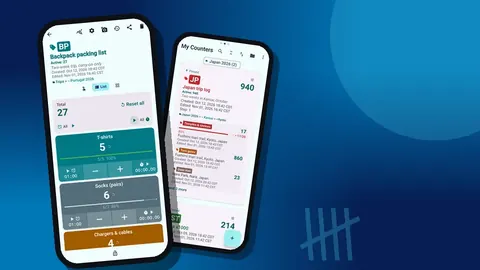
Do the full count the evening before you leave, not on the morning itself. Lay everything out on a bed or floor, open the Camera kit counter in List view and work row by row. Tap plus for each item as it goes into the bag. Then repeat for the Field kit.
A few habits make this pass more reliable:
- Count into the bag, not on the floor. An item counts only when it is physically packed.
- Charge before counting batteries. A dead battery is not a battery for this trip.
- Format cards after backing up. Count only cards that are empty and ready.
- Leave nothing "probably in there." If you cannot see it, unpack and look.
When every tag shows its target, reset is unnecessary; you will use those same values as the baseline for the first in-field check. If you would rather start each check from zero, reset the whole counter or one tag at a time.
What should you recount after every shoot?
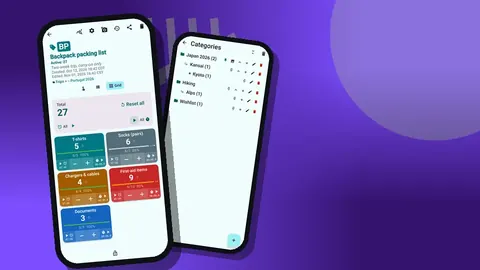
This is the check that actually prevents losses. After each location, before walking away, open the Camera kit counter and confirm the totals. Grid view is useful here: each tag becomes a colored tile with its value and target percentage, readable at arm's length even in harsh light.
The routine is simple. Count down as items come out and up as they go back, or recount from zero at the end. Pick one method and stick with it for the whole trip; mixing them is how numbers stop making sense. Counting down suits photographers who like to see exactly what is out in the field. Recounting from zero suits people who prefer one clean check at the end.
Memory cards deserve special attention. Consider two tags: "Cards empty" and "Cards full". When a card fills, minus one from empty and plus one to full. At a glance you know how much space remains and how many cards still need backing up tonight.
Hands full, gloves on
Tapping a touchscreen in winter gloves is miserable. Turn on volume-button counting in settings (it is off by default), and the volume keys count for you, even with the screen locked, through a foreground service. You can remap the keys and give each its own sound and vibration, so a short buzz means plus and a longer one means minus. Some devices may still flash the system volume bar while you count.
The lock-screen notification also offers minus, plus and Stop buttons, which is handy when the phone is in a chest pocket.
During a multi-day trip
Kit changes on a long trip. A filter cracks, a battery dies for good, a friend borrows a lens for a day. Rather than editing targets on the spot, record each change as an event and add a note to it: "ND filter cracked on scree", "lent 24 mm to Sam". The history keeps every event with its exact time, a before-and-after value and the tag name, plus icons when a note, photo or location is attached.
Location can matter too. A tag can store a GPS position, a point picked on a map, or a typed country, city and place. Recording where the drone was last flown, or where a cached food bag sits, can save an anxious backtrack. Map tiles need a connection, but typing a place name works offline.
Reading the trail of changes
At the end of each day, scroll the history while the evening meal heats. Look for minus events with no matching plus. That pattern usually means something is still out, borrowed or broken. The dashboard adds another view: an overview against target, increments versus decrements, a seven-day activity chart and a pie by tag. If the batteries tag has far more activity than anything else, you are swapping them a lot, which may be a sign to bring a bigger power bank next time.
Protect the counters themselves
Phones get handled by guides, kids and friends looking at your photos. Lock the camera counter when you are not actively checking it, so stray taps do nothing. If you delete a counter by mistake, the trash lets you restore it.
Before a big trip, make a backup ZIP. You can choose which counters and categories to include and optionally compress photos to keep the file small. Store the ZIP on a laptop or a second device. Import later shows a preview and lets you replace, copy or skip duplicates. There is no live sync between phones and no account; the kit data is stored on your phone, with no Counter App cloud.
After the trip: an honest audit
Back home, compare the final counts with your targets and the history. Any lasting differences become decisions: replace the cracked filter, retire the weak battery, drop the lens you never used.
How do you export a kit record for insurance?
The export options let you pick Summary, Events, Notes and Locations, then save as CSV or Excel. A spreadsheet is good for long-term tracking of gear across seasons. The HTML report, which embeds photos, is the better format for an insurance claim or for sending a rental house a picture-backed list of what came back. Share the HTML page or export the data from the Share Counter screen.
A worked example
Illustrative only. Imagine a four-day hut traverse with a camera kit of two bodies, three lenses, six batteries and eight cards. On day two the photographer marks one card full after a sunrise session, minus one on lenses when a friend borrows the wide angle, and notes a battery that will no longer hold charge. By evening the history shows three events the photographer would otherwise have had to remember. On day four, the end-of-shoot recount shows lenses at two of three, the note jogs memory, and the wide angle comes back before everyone splits up at the trailhead.
Nothing in this scenario needs mobile signal, a cloud account or extra hardware. It needs a habit of counting at the right moments.
Quick checklist
- Two counters: camera kit and field kit, under one trip category.
- Targets on every tag, alerts on if the environment allows.
- Codes, photos and notes on anything expensive.
- Full count the night before, recount after every location.
- Notes on every unusual event; daily history review.
- Lock when idle; back up before you leave.
Counter App is free to download with no ads; try it free for 3 days, then choose a yearly or monthly plan or a one-time lifetime purchase, for Android 12 and later. For the broader picture of a long journey, read the guide to backpacker gear tracking or build a counted packing list. Get the app at counterapp.online.
Frequently asked questions
Can I keep camera gear and outdoor gear apart?
Yes. Create one counter for the camera kit and one for the field kit, and group both under a category. Categories nest up to three levels, so you can also split day trips from multi-day trips.
How do I tell two identical lenses or batteries apart?
Give each expensive item its own identifying detail on the tag: a barcode or QR code (scanned or typed), up to six photos per tag, notes and a link. The photo editor lets you write the serial number straight onto a picture.
Does the gear counter work without signal in the mountains?
Yes. Counting camera and field kit needs no connection, and Counter App only goes online for optional notifications, update checks and map tiles.
Can a photographer count kit while wearing winter gloves?
Yes, with volume-button counting, which is switched off until enabled in settings. The physical keys can be remapped and keep counting with the screen locked, though a few phones still flash their volume bar on each press.
Can I share a kit list with an insurer or a fellow shooter?
Export the counter as CSV, Excel or an HTML report with embedded photos, and choose which sections to include: Summary, Events, Notes, Locations.
How should memory cards be tracked during a shoot?
Use two tags, such as Cards empty and Cards full. Moving one count from empty to full when a card fills shows how much space is left and how many cards still need a backup tonight.
What happens if a gear counter is deleted by accident on a trip?
A deleted gear counter goes to the Counter App trash, from where the photographer can restore it with its tags and history.