Counter App

Road Trip Checklist Counter App for Android
Key takeaways
A road trip checklist counter app replaces ticks with quantities. In Counter App — Tally & Clicker, you create one counter each for the car, emergency kit, food, camping gear and devices, give every item a target count, tap as things go into the car, lock finished lists and reset them for the next trip.
- A road trip checklist in Counter App — Tally & Clicker splits preparation into five counters: car, emergency kit, food and water, camping and devices.
- Each road trip item becomes a tag with a target quantity, such as four water jugs or twelve tent pegs, so a short line stands out before departure.
- Supplies used during a road trip can be counted down, and every top-up or use is logged in the history with its time.
- Resetting a road trip counter sets the values to zero but keeps the tags and targets, so the same checklist is ready for the next trip.
A road trip rarely fails because of the big things. Nobody forgets the car. What goes wrong is the small stuff: the second water jug, the spare fuse, the tent pegs that were in the garage, the charging cable for the passenger's phone. Classic checklists help, but they only record a tick, and a tick on "water" does not say whether you have one bottle or six. A counted checklist fixes that by attaching a quantity and a target to each line.
This guide shows how to plan a road trip with Counter App on Android, so departure morning becomes a calm walk through numbers rather than a frantic search through cupboards.
How should you split road trip prep into checklists?
Long lists are hard to finish. Five shorter lists, each tied to one area of the trip, are easier to work through and easier to delegate to whoever is helping. A practical split:
- Car: documents, spare tire check, jack, jump leads, fuses, warning triangle, washer fluid.
- Emergency kit: first-aid items, flashlight, batteries, blanket, water, whistle, multitool.
- Food and water: water bottles or jugs, snacks, cooler packs, cutlery, bin bags.
- Camping or overnight: tent, pegs, sleeping bags, mats, stove, fuel, headlamps.
- Devices: phones, chargers, car adapter, power bank, cables, offline maps on the phone.
Create one counter per list. Give each a color, a short code (for example CAR, EMG, FOOD, CAMP, DEV) and a description with the trip name and dates.
Keep the trip in one place
Put all five counters in a category named after the trip, like "Coast loop, May". Categories go up to three levels, so a "Road trips" category can contain one sub-category per trip and keep last year's lists for reference. Pin the current trip so it sits at the top of the list.
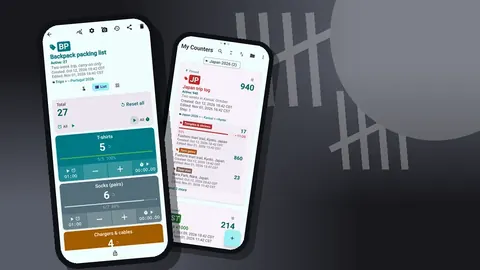
The counter list can be shown in List or Grid view, searched by name and filtered by date range, which helps once you have a few seasons of trips stored.
Turn each checklist into counted tags
Inside each counter, each line becomes a tag with a target. In the Food and water counter, for instance:
- Water jugs: 4
- Snack packs: 10
- Cooler packs: 3
- Bin bags: 5
In the Camping counter:
- Sleeping bags: 3
- Mats: 3
- Tent pegs: 12
- Fuel canisters: 2
Use a step that matches how things are packed. If snacks come in boxes of five, set the step to 5 on that tag; any step from 1 to 100 works. When a tag reaches its target, the app can play a sound or vibrate, so you can stand at the boot, tap plus as each item goes in, and hear when that line is done.
Targets can also count down. That suits supplies used during the trip: start water at 4 and count down as each jug empties. Some people keep two tags per consumable, one for "packed" and one for "used", so the difference is obvious.
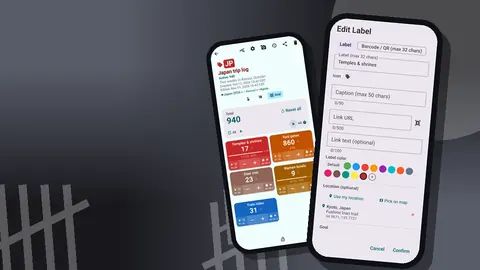
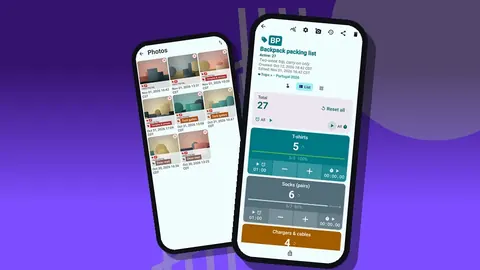
For important documents, a tag can hold a barcode or QR, scanned or typed, and up to six photos. A photo of the vehicle registration or insurance card stored on the tag is useful backup if the paper copy goes missing. Keep in mind the data is stored on the phone, with no account and no Counter App cloud.
Departure morning
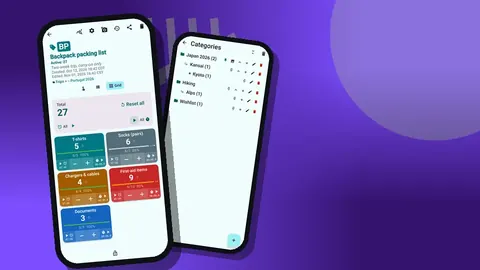
The night before, do a soft pass: count what is already in the car. On the morning, open each counter in turn and finish the job. Grid view is the clearest layout here: each tag is a colored tile showing its value and target percentage. Anything below 100 percent stands out.
A routine that works for many families:
- Car list first. It is the one you cannot fix after leaving the driveway.
- Emergency kit second. It is easy to raid between trips and forget to refill.
- Food last. Cold items go in at the very end.
If a tag is short and you decide to leave without it, add a note to the tag: "only 2 mats, buy on the way". The note shows up later on the counting screen and in the All Notes list.
Lock each counter once it is complete. A locked counter ignores taps, so children playing with the phone in the back seat cannot undo the morning's work.
Timers for the road
On the road, every tag keeps a timer and stopwatch of its own. On a road trip they have practical uses:
- A 10-minute timer on a "Driving break" tag in the Car counter as a stretch reminder.
- A stopwatch while waiting for a charger to top up the power bank.
- A 5-minute timer while a camping stove brings water to the boil.
The timer sheet offers presets of 30 seconds and 1, 2, 3, 5 and 10 minutes, plus manual input for anything longer. Countdown beeps, seven alarm sounds and eight alarm vibrations mean you can pick something audible over engine noise. Any single timer can be reset, or all of them at once, between stops.
How do you track supplies used on the road?
Supplies change on the road. Each time you buy water, plus the water tag; each time you finish a canister of fuel, minus it. Every event goes into the history with its exact time, the step, the before and after values and the tag. Icons show which events have notes, photos or locations attached.
Tags can store a location by GPS, a point on a map, or a typed country, city and place. A tag for "Fuel stops" with a typed place for each fill is a simple travel log. Map tiles need internet; typing a place does not.
If you are driving, do not tap at all. Let a passenger handle the counts, or wait until you stop. Volume-button counting exists, and it works on the lock screen through a foreground service, but it is a tool for hands-busy moments like loading a boot, not for use while at the wheel.
After the trip
When you are home, open the dashboard for each counter. It shows the total against target, increments versus decrements, an activity bar chart for the last seven days and a pie by tag. On a food counter, the activity chart roughly mirrors how quickly you ate through supplies, which helps size the next shopping list.
Export the counters if you want a record. The export options include Summary, Events, Notes and Locations, saved as CSV or Excel, or shared as an HTML report with embedded photos. A family that does an annual road trip can keep one spreadsheet per year and compare what was packed against what was used.
Can a road trip checklist be reused?
The best checklist is the one you reuse. After the trip, reset each counter (or single tags), adjust targets based on what you learned, and leave the structure in place. Next time, sort the counter list to bring the trip category forward; the list offers six sort orders. If you deleted something by mistake, the trash restores counters.
Keep a backup ZIP of your road trip lists on a computer. It includes photos, optional photo compression, and lets you pick which counters and categories to include. Importing on a new phone shows a preview and handles duplicates by replace, copy or skip.
Checklist mistakes worth avoiding
A few patterns make road trip lists less useful than they should be.
One giant list. Sixty lines in one counter means nobody finishes it. Five focused counters can be split between helpers and completed in parallel.
Targets copied from the internet. Generic lists do not know how many people are travelling, how long the drive is, or whether you will camp. Set targets from your own trip and refine them after each one.
Forgetting the return leg. The drive home is when tired people leave things at campsites and motels. Run the camping and devices counters again before you pull out of the last stop.
Counting what you intend to pack. Tap only when the item is in the car. A tile at 100 percent should mean the boot, not the hallway.
A sample loop trip
Illustrative only. Picture a three-day coastal loop for two adults and a child. The night before, the Camping counter shows tent pegs at 8 of 12 and mats at 2 of 3. A search of the garage finds the pegs; the third mat is missing, so a note records it. On the morning, the Car counter flags jump leads at 0 of 1, which are in the other car. On day two the Food counter shows water counted down to 1 of 4, and a stop is planned before the long coastal stretch. On return, the dashboard suggests snacks were overpacked, and next year's target drops.
Every number here is invented, but each moment is the kind a counted list catches early.
The short version
Five counters, quantities on every line, targets that tell you when a line is done, locks after packing, and a reset at the end. It runs on Android 12 and up and is free to download with no ads; try it free for 3 days, then choose a yearly or monthly plan or a one-time lifetime purchase. If you are flying instead, see the counted packing list for travel. Get the app at counterapp.online.
Frequently asked questions
Why count road trip items instead of ticking them off?
A tick says an item is packed, while a count says how many. For water bottles, snacks, charging cables or sleeping bags the quantity matters, and each road trip tag can alert you when its target is reached.
Can I reuse the same checklist for the next trip?
Yes. Reset a whole counter or a single tag and the list is ready again. Targets and tags stay in place.
Does the road trip checklist work in remote areas without coverage?
Yes. Counting the car, camping and food lists works offline, and the app only uses the internet for optional notifications, update checks and map tiles.
Can I use the timer for driving breaks?
Each tag has its own timer and stopwatch, with presets of 30 seconds, 1, 2, 3, 5 and 10 minutes, a manual duration, countdown beeps and a choice of 7 alarm sounds and 8 vibrations.
Can two people in the car share one list?
There is no live sync between phones. Use one phone for the checklist, or move the list with a backup ZIP and import it on the other phone.
Should the driver count supplies while driving?
No. A passenger should handle the counts, or the driver should wait until the car has stopped; volume-key counting is meant for loading the boot, not for use at the wheel.
Can a road trip counter log fuel stops?
Yes. A Fuel stops tag can store a typed place or a GPS location for each fill, which builds a simple travel log that also works offline when the place is typed.