Counter App

A Daily Stock Count System for Independent Retailers
Key takeaways
A daily stock count system for an independent retailer works in two tiers: a short daily watch list of fast movers and items with long lead times, plus a regular full count of everything else. In Counter App — Tally & Clicker, the pinned watch-list counter has reorder targets that alert when reached.
- A two-tier stock count combines a short daily watch list with a weekly, fortnightly or monthly full count.
- Items for a retailer's daily watch list are those that sell almost daily, annoy regulars when missing, need supplier notice or are easy to lose track of.
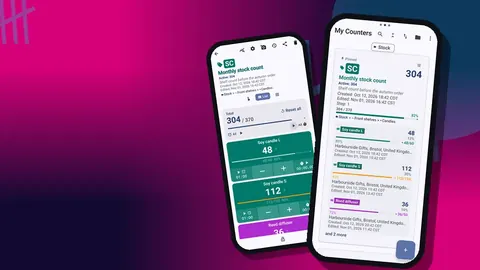
- Counter App — Tally & Clicker pins the daily watch-list counter to the top of the counter list, so the morning check starts with one tap.
- Every reorder alert on a shop watch list needs a written rule, such as reorder now or restock from the back, stored in the tag notes.
A once-a-month stocktake tells you what you had. A short daily count tells you what you have. For an independent shop, the second one usually decides whether a customer walks out with the item they came in for, or walks out empty-handed and tries somewhere else next time.
This article lays out a two-tier routine: a focused daily check of a small watch list, and a regular full count of everything else. It is deliberately modest. The goal is a habit you will still be doing three months from now, in the middle of a busy season, when nobody has spare time.
Why use two tiers of stock counts?
Most small shops count in one of two ways. Either they do a big count rarely and spend the weeks between guessing, or they try to count everything often and give up within a month. Splitting the work fixes both problems.
The daily tier is small and fast. It covers the handful of lines where a gap costs you a sale or a regular's goodwill. The full tier is slower but infrequent, and it keeps the rest of the shop honest. Neither tier has to be perfect, because each one covers the other's blind spot.
Tier one: the daily watch list
Choosing the items
Look through last month's sales, from your till reports or from memory, and pick lines that match at least one of these:
- They sell every day or nearly every day.
- Running out of them loses a sale or annoys a regular.
- The supplier needs notice, so you must reorder early.
- They are small and easy to lose track of, like gift wrap or batteries at the counter.
Keep the list short. A good test is time: the daily check should fit comfortably before opening or straight after closing, with the kettle still warm. If it starts to feel like a chore, trim the list until it does not.
Building the watch list in the app
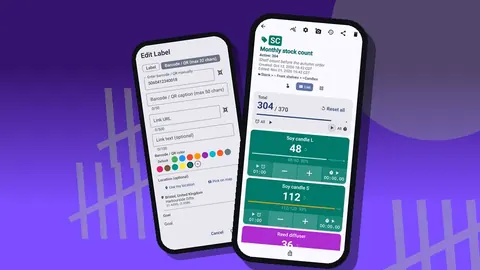
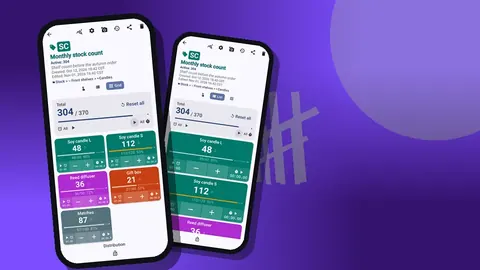
In Counter App, create one counter called something like "Daily Watch" and add a tag for each line. Give the tags colors you can read at a glance, for instance one color for every line that needs supplier notice.
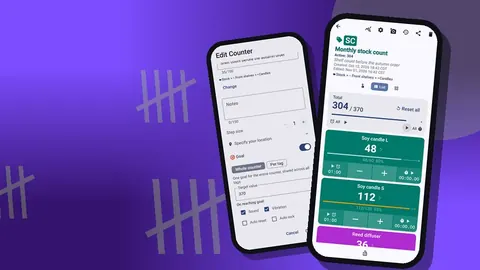
Set a target on each tag at the level where you want to reorder. Targets can count up or down to a goal, and an optional sound or vibration fires when the goal is reached. For a daily watch list, counting down often feels natural: start the tag at what is on the shelf, and the alert tells you when you hit the reorder point. Auto-reset and auto-lock on reaching the target are available too, though most shops leave them off for this job so the number stays visible.
Keeping it at the top
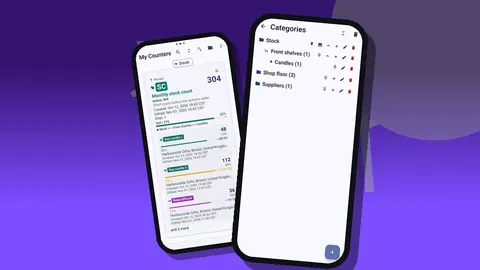
Pin the Daily Watch counter. Pinned counters sit at the top of the counter list, so the morning routine starts with one tap rather than a scroll. If you also pin its category, the category chip stays visible above the list.
Running the daily check
Open the counter and walk the shop in the same order every day. For a short list, grid view works well: every line is a colored tile with its value and target percentage, and you tap minus or plus without scrolling. For a longer list, list view gives each line a full row.
You can also count with the volume keys. Volume-button counting is off by default; once enabled in settings, it works in the background and from the lock screen, so your eyes stay on the shelf. The keys can be remapped and given their own sound or vibration.
If something is wrong, such as damaged packaging or an item found in the wrong place, add a note to the event. The note stays attached to that moment in the history, which is far more useful than a sticky note on the till.
Tier two: the full count
The watch list does not replace a complete count. It simply means the full count is no longer the only time you learn anything about your stock.
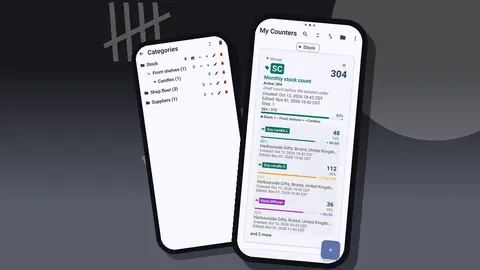
Pick a fixed slot that suits your trading pattern. Weekly works for many small shops; fortnightly or monthly suits others with slower ranges. Count the rest of the store area by area, using separate counters for each: Front Window, Wall Shelves, Back Stock and so on. Group those counters into categories so the list stays readable. Categories nest up to three levels, can be colored and pinned, and can be reordered to match the route you walk.
Before each area, reset the counter so you count from zero. When an area is finished, lock its counter so a stray tap later cannot alter it.
If your setup is still one long list, read how to organize shop inventory with labels and categories before your next full count.
What should happen when a reorder alert fires?
An alert only helps if it leads to action. Decide in advance what a reached target means for each line:
- Reorder now for items with a supplier lead time.
- Restock from the back if the stockroom still has some.
- Move it up front if a line is selling slower than expected and needs visibility.
- Ignore until Friday for lines you always restock on delivery day.
Write that rule into the tag's notes so anyone counting knows what to do. If you share the routine with a helper, the instruction travels with the tag instead of living in your head.
Reading the numbers
A count is only useful if you look at it. Two screens do most of the work.
History: when did this change?
History shows every count with its exact time, the step, and the value before and after, plus icons when a note, photo or location is attached. It answers "when did this drop?" and "who noted the damaged box?". There is no search inside history, so clear tag names help you scan it.
Dashboard: what is close to reorder?
The dashboard gives an overview of the total against target, increments versus decrements, a 7-day activity bar chart and a pie chart by tag. It is a quick way to see which days were busy and which watch-list lines carry most of the movement.
Over a few weeks, patterns appear: a line that always dips before the weekend, another that has not moved at all. Those observations are the real payoff of counting daily, and they feed directly into how you set targets.
Tuning the routine over the first month
Treat the first month as a test of the routine itself rather than of your stock.
- Week one: start the daily watch list and do one full count to set a baseline.
- Week two: drop watch-list lines that never move.
- Week three: add any line that ran out unexpectedly.
- Week four: review the dashboard, adjust targets, and decide whether the full-count interval suits your shop.
After that, change the list only when your range changes: a new season, a new supplier, a discontinued product.
Why do daily stock counts fail?
Counting at the wrong time. Mid-afternoon, with customers in the shop, the count gets interrupted and abandoned. Before opening or right after closing works better.
Treating the target as a suggestion. If the alert fires and nothing happens, the system teaches you to ignore it. Pair every target with a rule, as described above.
Letting the list grow. Every new product feels important. Add one, remove one.
Counting on top of yesterday. Forgetting to reset before a full count means adding today's stock to last week's figure. Reset first, every time.
Nobody else can do it. If the routine dies when you take a day off, put clear names and photos on the tags. Each tag holds up to six photos, enough to show a helper what the line looks like.
Sharing the routine with a helper
Counter App keeps data on the phone and does not sync live between devices. If a helper runs the morning check on their own phone, build the setup once, create a ZIP backup, and import it on their phone. You can choose which counters or categories go into the backup, so the helper gets the Daily Watch without the rest of your records.
Keeping the data safe
A daily habit produces a lot of history, so back it up now and then. A backup is a ZIP file that includes photos, lets you pick counters or categories, and can compress photos to keep the file small. On import, a preview shows what is in the file and asks how to handle duplicates: replace, copy or skip.
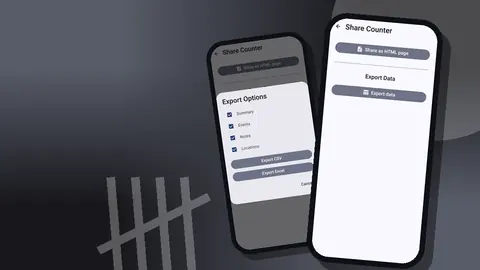
When you need the numbers on a computer, export to CSV or Excel. The guide on moving inventory reports from phone to spreadsheet covers which format to pick.
Why bother doing it daily
A daily count is not about precision for its own sake. It shortens the gap between something going wrong on the shelf and you knowing about it. Keep the watch list small, put the full count on a fixed day, look at the dashboard once a week, and the routine stays light enough to survive a busy season. Counter App works offline and runs on Android 12 and newer. Get the app at counterapp.online.
Frequently asked questions
Which items belong on a retailer's daily stock watch list?
Lines that sell fastest, lines regulars complain about when missing, and anything with a long supplier lead time. The rest waits for the full count.
Can a shop set a reorder level on each watch-list item?
Yes. A tag's target can sit at the reorder point, counting up or down, with an optional sound or vibration when it is reached.
Can I see what yesterday's stock count showed?
History lists each count with its time and before and after values, and the dashboard adds a seven-day activity chart and per-tag progress.
Can a shop helper run the daily check on their own phone?
Yes, after importing a ZIP backup that contains just the watch-list counter. The two phones do not sync, so repeat the backup when the list changes.
Does a daily stock count app for a small shop charge a monthly fee?
Not necessarily. Counter App is free to download with no ads; try it free for 3 days, then choose a yearly or monthly plan or a one-time lifetime purchase.
When is the best time of day for a daily stock count?
Before opening or right after closing, when customers cannot interrupt it.